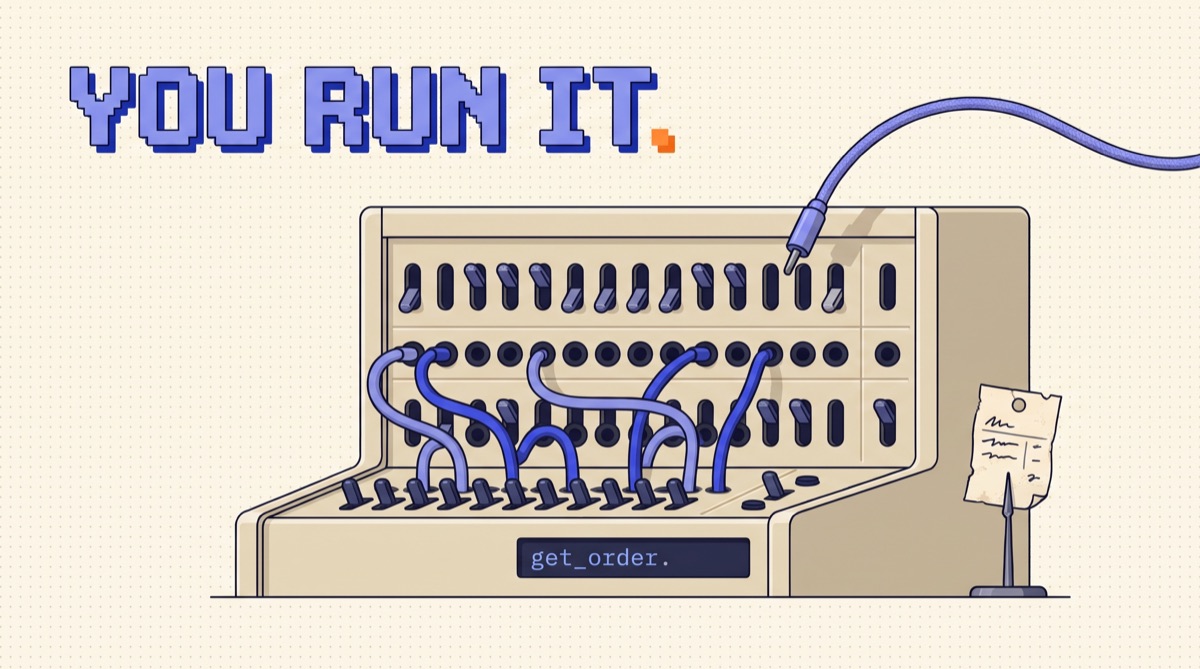
Function calling is an LLM API feature that lets a model request an action instead of only writing text. You describe your functions in a JSON schema, the model replies with a function name and arguments, your code runs it, and you send the result back. The model never executes anything itself. Providers also call this tool use, and it is what every AI agent is built on.
The one fact to hold onto is that the model only writes a request. The word "calling" makes it sound like the model reaches into your systems, and that misunderstanding causes most of the bad security decisions I see. The model fills out an order ticket. Your code decides whether the kitchen cooks it.
01TL;DR
- The model asks, your code runs. A function call is structured text naming a function and its arguments. Nothing executes until your code does it.
- It takes at least two API calls. One to get the request, one to send the result and get the final answer.
- Schemas are prompts. The model picks tools from their names and descriptions, and every definition costs tokens on every call.
- Treat arguments as untrusted input. Validate them, check permissions, and gate anything destructive.
- Always return something. Every call needs a matching result, including failures, or the conversation breaks.
02How function calling works, step by step
Say a customer asks your support bot, "Where is order 4417?" The model doesn't know. It has no database. Here is what happens.
1. You send the message plus tool definitions. Each tool has a name, a description, and a JSON schema for its inputs.
{
  "name": "get_order_status",
  "description": "Look up the shipping status of one customer order by its order number. Use when the user asks where an order is or when it will arrive.",
  "input_schema": {
    "type": "object",
    "properties": {
      "order_id": { "type": "string", "description": "Order number, digits only, e.g. 4417" }
    },
    "required": ["order_id"]
  }
}
2. The model replies with a call instead of an answer. It stops writing and returns something like this:
{ "type": "tool_use", "id": "toolu_01A", "name": "get_order_status", "input": { "order_id": "4417" } }
3. Your code checks and runs it. Parse the arguments, confirm this customer owns order 4417, query the database.
4. You send the result back, tied to the call by its id, along with the whole conversation so far. The API is stateless unless you use a provider's server-side conversation feature, so the model only sees what you resend.
5. The model writes the final answer. "Order 4417 shipped Tuesday and arrives Friday." Or it asks for another tool, and the loop repeats.
03The full loop in Python
This is the whole pattern with the Anthropic SDK. It's about 25 lines, and it's the core of most agent frameworks.
import json import anthropic

client = anthropic.Anthropic()
MAX_STEPS = 8

def run(user_message, tools, handlers, model):
    messages = [{"role": "user", "content": user_message}]

    for _ in range(MAX_STEPS):
        response = client.messages.create( model=model, max_tokens=1024, tools=tools, messages=messages
        ) if response.stop_reason != "tool_use":
            return response

        messages.append({"role": "assistant", "content": response.content})

        results = [] for block in response.content:
            if block.type != "tool_use":
                continue try:
                output = handlers[block.name](**block.input) results.append({"type": "tool_result", "tool_use_id": block.id,
                                "content": json.dumps(output)}) except Exception as e:
                results.append({"type": "tool_result", "tool_use_id": block.id,
                                "content": f"Error: {e}", "is_error": True})

        messages.append({"role": "user", "content": results})

    raise RuntimeError("Hit MAX_STEPS without a final answer")
Three details here carry most of the weight. The step cap stops a confused model from looping up your bill. The loop walks every block, because a model can request several tools in one reply. And errors go back to the model as results rather than crashing the run, which lets it fix a bad argument on its own and try again.
If you want the bigger picture around this loop, my AI Agents 101 resource walks through it from the top.
04The same idea across providers
The concept carries over directly. The field names don't, which matters if you switch models.
| OpenAI (Responses API) | Anthropic (Messages API) | Google (Gemini API) | |
|---|---|---|---|
| Schema field | parameters |
input_schema |
parameters |
| Model's request | function_call item |
tool_use block |
functionCall part |
| Your reply | function_call_output |
tool_result block |
functionResponse part |
| How they pair up | call_id |
tool_use_id |
function name or id |
APIs change, so check the current docs before you ship. Most providers also offer a setting that controls whether the model may call tools, must call one, or must call a specific one. Leave it on automatic unless you have a reason. Forcing a tool makes sense for a required first step, such as always running a compliance check before replying.
05Function calling vs MCP, structured output, and agents
These four terms get mixed up constantly, and they sit at different layers.
- Function calling is the mechanism: the format for requesting a tool and returning a result.
- Structured output constrains the final answer to a schema. No action happens and the exchange ends there. Pulling fields from an invoice is structured output. Looking up the vendor partway through is function calling.
- MCP is how tools get packaged and discovered across apps. An MCP server exposes tools, the client hands them to the model, and the model still asks for them through function calling. My MCP Big Three guide covers which servers to start with.
- An agent is function calling in a loop, with the model choosing the next step until the job is done. One tool call in a support bot isn't an agent. Twelve calls the model sequenced itself is.
06What it costs
Tool definitions are input tokens, and you pay for them on every call whether the model uses them or not. A detailed definition runs roughly 150 to 600 tokens.
Run the numbers on a modest setup: 10 tools at 300 tokens each is 3,000 tokens of overhead per call. An agent that takes 6 steps to finish a task resends those definitions 6 times, so that's 18,000 input tokens before you count any conversation or tool output. Tool results usually cost more than the definitions, since a raw API response can run several thousand tokens and stays in the history for every later step.
Three fixes cover most of it. Return only the fields the model needs. Load tools by task instead of attaching all of them. Use prompt caching so the repeated definitions cost less. And keep an eye on the context window, because long tool results fill it faster than chat does.
07Six mistakes that break function calling in production
1. Trusting the arguments. The model can produce a wrong ID, a hallucinated value, or an argument steered by text it read in a webpage or email. Validate against the schema and against your own business rules, in your code. "Does this user own this order" is your check, because the model can't verify it. Prompt injection is the reason this one matters most.
2. Vague descriptions. "Gets data" gives the model nothing to pick with. Say what the tool does, when to use it, and when not to. If two tools overlap, the model will choose between them inconsistently. I covered this in depth in how to design tools for an AI agent.
3. Too many tools. Selection accuracy drops as the list grows, and the token bill rises. If you're past 20 or so, group them by task and load only the group the current job needs.
4. Orphaned calls. Every call needs a matching result in the next message. If you drop one because it timed out, the API can reject the whole request. Return an error result instead.
5. No gate on destructive actions. Reads can usually run freely. Refunds, deletes, and outbound emails should pause for a person, or at least pass a hard rule such as a dollar limit. Here's a pattern for approvals that work.
6. Retrying side effects blindly. If a network failure hits after a charge goes through, your retry charges twice. Pass an idempotency key to anything that changes state, and generate it in your code, never from the model.
08When you don't need function calling
Skip it when the data is already known at request time. If every support question needs the customer's plan, fetch the plan first and put it in the prompt. That's one less round trip, which saves a model call and the latency that comes with it, and there's no chance the model forgets to ask.
Use function calling when the model has to decide what it needs from the conversation, or when the task involves taking an action. If your code can decide alone, let your code decide.
09The bottom line
Function calling is a model writing a structured request and your code choosing whether to honor it. Get that division right and the rest follows: put your validation and approvals in the gap between request and execution, keep schemas clear and short, return every result including failures, and cap the loop.
To try it tonight, take one read-only function from something you already run, wrap it in the 25-line loop above, and ask it a question that requires the data. Print every message as it goes back and forth. Ten minutes of watching that transcript teaches more than any framework's docs.
I send builds and breakdowns like this in the newsletter, if you want the next one.
Frequently asked
What is function calling in an LLM?
Function calling, also called tool use, is an API feature where you describe functions to a language model and it can reply with a structured request to call one, including the function name and JSON arguments. The model never runs anything. Your code receives the request, executes the function, and sends the result back so the model can write its final answer.
Does the LLM actually execute the function?
No. The model only produces text in a structured shape that says which function it wants and with what arguments. Your application decides whether to run it, runs it, and returns the output. Hosted tools such as provider-run web search are the exception, because the provider runs them on its own servers, but custom functions always run on your side. That gap is your control point for validation, permissions, and approvals.
What is the difference between function calling and MCP?
Function calling is the model-level mechanism: the request and response format that lets a model ask for a tool. MCP, the Model Context Protocol, is a standard for how tools get discovered and connected across apps. An MCP client lists tools from a server and passes them to the model, and the model still requests them through function calling. MCP handles distribution, and function calling handles the actual call.
What is the difference between function calling and structured output?
Structured output forces the model's final answer into a JSON schema, and the conversation ends there. Function calling requests an action partway through, and the conversation continues once you return the result. Use structured output when you want clean data from the model, such as extracted invoice fields. Use function calling when the model needs something from outside itself before it can answer.