Human in the Loop AI Agent: How to Add Approvals That Work
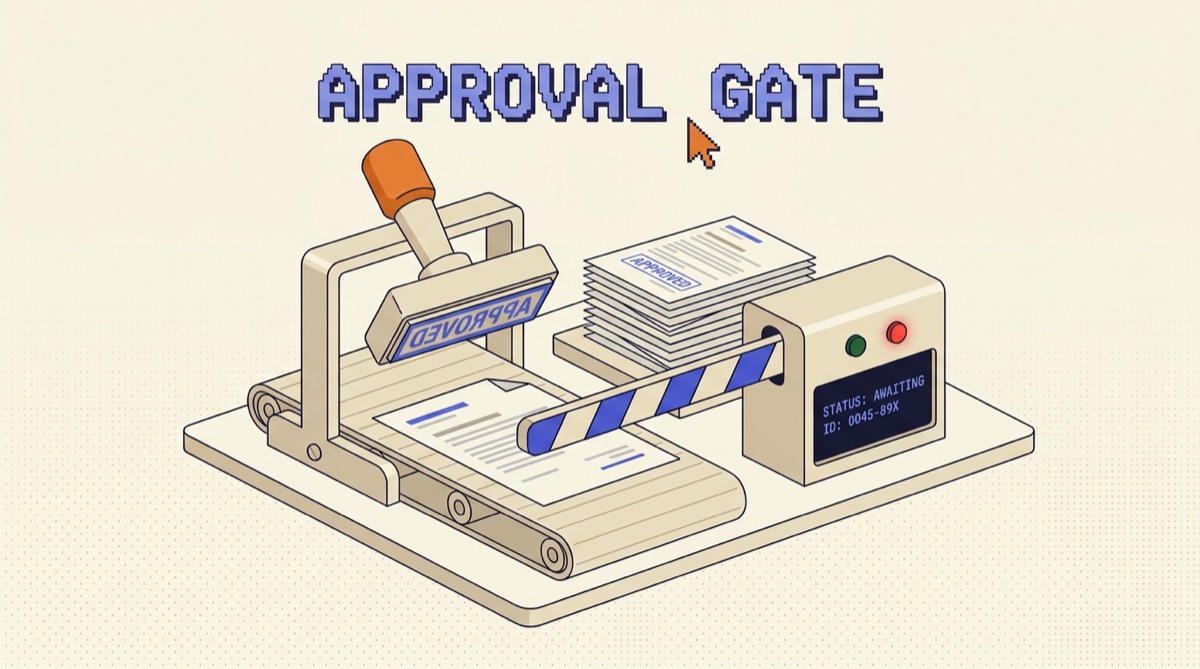
A human in the loop AI agent pauses before high-risk actions and waits for a person to approve, edit, or reject what it proposed. The model does the reasoning and drafting, a human owns the moment the action becomes real. The hard part is not adding a confirmation prompt. It is choosing which actions get a gate, and putting that gate somewhere the agent cannot route around.
TL;DR
- Gate at the tool, not at the turn. The tool call is what executes, so that is the only honest thing to approve.
- Tier by blast radius: auto-run reads and reversible writes, notify on the middle, block on anything that spends money, contacts a person, or destroys data.
- Approval fatigue is a volume problem. More than roughly ten reviews a day and your reviewer is skimming, which is worse than no gate.
- Show the reviewer the exact arguments, the reason, and a one-click edit. Never a prose summary of what the agent intends to do.
- Track approval rate and edit rate per action type. Those two numbers tell you which gates to remove and which prompts to fix.
The gate belongs at the tool, not the turn
Most first attempts put the human at the wrong layer. The agent finishes reasoning, writes a paragraph describing its plan, and a person types yes. That reads like oversight and mostly is not, because the paragraph and the tool call are two different artifacts that drift apart. The agent says it will email the three customers who churned. It calls send_email with a list of thirty recipients pulled from a query that quietly matched more rows than expected. The paragraph was approved. The arguments were never seen.
Put the check inside the tool wrapper instead. send_email, issue_refund, delete_record, and merge_pr each evaluate a policy before doing anything, and return a structured pending result when approval is required. The agent receives that pending result as a normal tool result and keeps going or waits, its reasoning intact.
Three properties fall out of this that turn-level review cannot give you. The thing approved is byte-for-byte the thing that executes. The agent cannot talk its way past the gate, because the gate is not reading its prose. And a tool someone adds six months from now inherits the default policy instead of quietly shipping ungated, which is the failure that actually bites teams.
Tier every action by blast radius
Not every action deserves a person. Sort your tools once, on two questions: can this be undone, and who notices if it is wrong.
Auto covers reads and reversible writes. Queries, searches, file reads, drafts saved to a scratch location, comments on an internal ticket. If undoing it is a click and nobody outside the team sees it, a gate here buys nothing and spends attention you need elsewhere.
Notify covers writes that are real but recoverable, with an undo window. Updating a record, moving a ticket, pushing to a branch nobody has pulled. The agent acts, a person gets told, and there is a documented path back for the next fifteen minutes. This tier is underused and it is where most of the speed lives.
Block covers anything that spends money, reaches a human outside the company, or destroys data. Sending email, issuing refunds, posting publicly, deleting rows, changing permissions, merging to main. These wait, always, no exceptions for "the agent has been reliable lately."
Tier by threshold where a category is too blunt. Refunds under fifty dollars post automatically, anything larger stops. Emails to existing contacts on a known template go out, first contact with a new domain waits. The threshold version is nearly always better than the category version, because it matches how the risk actually distributes.
Design the approval request like a diff
The reviewer has about eight seconds of real attention per item. Spend them on the arguments.
A good request shows the tool name, the full arguments rendered readably rather than as raw JSON, the agent's one-line reason, the policy rule that triggered the gate, and what happens on reject. A recipient list shows all thirty recipients, not "30 customers." A refund shows the amount, the order, and the original charge date. If the payload is long, show the fields that carry risk in full and collapse the rest.
Three things belong in every request and are usually missing. An edit path, so a reviewer can fix the recipient list rather than rejecting and re-prompting, which is the difference between a tool people use and one they abandon. A reject reason field, because that text is the highest-value training signal you will ever collect about your own agent. And an expiry, so a request nobody answers in an hour fails closed instead of firing at 2am when someone finally clicks it.
Approval also needs to survive the reviewer's absence. Every gated request should carry a timeout policy that is explicitly fail-closed, and the agent should be told, in its prompt, that a rejected or expired action means stop and report rather than find another route. Agents are good at finding another route.
Keep the gate from becoming a rubber stamp
The failure mode is not the agent doing something wrong. It is a person clicking approve on forty items and catching none of them, which produces the paperwork of oversight with none of the substance. Volume is the variable to control.
Batch related approvals into a single review. Nine refunds from one root cause is one decision, not nine, and reviewing them together makes the pattern visible in a way nine separate pings never will.
Escalate trust with evidence. Track approval rate per action type, and when a category hits something like a hundred consecutive approvals with zero edits, move it from block to notify and say so in the changelog. This is the part teams skip, and it is why their gates calcify into noise.
Run a canary before you widen a lane. Let the newly-automatic category run for a week with full logging and a sampled human audit, and compare what the agent did against what a reviewer would have done. That controlled-exposure pattern, small blast radius first, evidence before expansion, is the same discipline I wrote up in THE CANARY METHOD, and it applies to approvals as cleanly as it does to deploys.
If your reviewer is handling more than roughly ten items a day, they are skimming. Fix that by moving categories down a tier, not by making the notification more urgent.
Instrument the two numbers that matter
Log the tool name, the full executing arguments, the triggering rule, the agent's reason, the reviewer, the verdict, any edits, the timestamp, and the outcome. That is the audit trail, and you will need it the first time someone asks what happened.
The two derived numbers are where the design improves. Approval rate by action type finds gates that are pure friction: anything approved ninety-nine percent of the time without edits is a policy waiting to be written, not a decision. Edit rate by action type finds where the agent is systematically wrong: a category that gets modified before approval is pointing at a prompt, a tool schema, or a missing piece of context, and the fix belongs at the source rather than in the reviewer's hands every single time.
Reading those two numbers monthly turns oversight from a fixed tax into something that shrinks as the agent earns it. I write up patterns like this as they show up in real builds in the newsletter.
The bottom line
Human in the loop is not a confirmation dialog bolted on at the end. It is a policy layer inside your tools that knows which actions are worth a person's attention, presents those actions as exact arguments rather than prose, and gets quieter as evidence accumulates.
Start by sorting every tool into auto, notify, and block, and be honest that block should be small. Put the check in the tool wrapper so nothing new ships ungated. Show diffs, allow edits, fail closed on timeout. Then watch approval rate and edit rate, and let those numbers move categories down the tiers over time. An agent with three real gates that people actually read is safer than one with thirty that everyone clicks through.
What is a human in the loop AI agent?
A human in the loop AI agent is one that pauses before certain actions and waits for a person to approve, edit, or reject what it proposes. The model still does the reasoning and the drafting. A human owns the moment where the action becomes real: the email sends, the refund posts, the row gets deleted, the branch merges. The important word is certain. An agent that asks about everything gets ignored within a week, and an agent that asks about nothing eventually does something expensive on your behalf. The design work is not adding a confirmation prompt, it is deciding which specific actions cross the line, and building the pause into the tool layer so the agent cannot route around it. In practice that means a small number of write tools return a pending state instead of a result, and the run resumes only when an approval arrives.
Where should the approval gate go in an agent?
At the tool, not at the turn. Gating a turn means asking the user to approve a plan the agent described in prose, which is the wrong unit: the plan is not what executes, the tool call is, and the two drift apart constantly. Put the check inside the tool wrapper, so send_email, issue_refund, delete_record, and merge_pr each evaluate a policy before doing anything and return a structured pending result if approval is required. This gives you three properties you cannot get from turn-level review. The agent sees the pause as a normal tool result and keeps its reasoning intact. The exact arguments being approved are the exact arguments that will run, with no gap between description and execution. And a new tool added six months later inherits the policy by default instead of quietly shipping ungated.
How do I stop approval fatigue with an AI agent?
Approval fatigue is a volume problem, so fix the volume rather than the wording. Four things work. Tier by blast radius: reads and reversible writes run automatically, everything that spends money, contacts a person, or destroys data gets a gate, and the middle ground gets a notification with an undo window. Set thresholds rather than categories, so refunds under fifty dollars post automatically and anything larger stops. Batch related approvals into one review instead of nine separate pings. And escalate trust with evidence, meaning you track the approval rate for each action type and auto-approve categories that have been approved a hundred times with zero edits. If a reviewer is approving more than about ten items a day, they are skimming, and a gate that gets skimmed is worse than no gate because it manufactures the appearance of oversight.
Does human in the loop make an AI agent too slow to be useful?
Only if the gate sits on the critical path of the whole run, which is a design choice you can avoid. Structure the agent so it does all of its research, drafting, and reversible work first and accumulates the risky actions as proposals, then presents them together at the end. The person reviews a finished set of decisions rather than blocking step four of eleven. Where latency genuinely cannot absorb a human, the answer is usually a narrower automatic lane instead of removing oversight: let the agent act immediately within a tightly bounded policy, log everything, and put a human on the exceptions and on a sampled audit of the rest. That keeps the median response fast while still catching the tail, which is where the damage lives anyway.
What should a human in the loop agent log for every approval?
Log enough to reconstruct the decision without the reviewer's memory. That means the tool name and the full arguments as they will execute, the policy rule that triggered the gate, the agent's stated reason for the action, the reviewer identity, the verdict, any edits made to the arguments, the timestamp, and the result after execution. Two derived numbers matter more than the raw log. Approval rate by action type tells you which gates are pure friction, because anything approved ninety-nine percent of the time unedited is a gate you can replace with a policy and a notification. Edit rate tells you where the agent is systematically wrong, because a category that gets modified before approval is pointing at a prompt or tool problem you can fix at the source. Without those two numbers you are guessing about where oversight is actually paying for itself.
OpusJake is Jake Schincariol's operating system for building with AI: agents, workflows, prompts, and the free resources behind them. Get the next move every week.