What Is an MCP Server? A Builder's Guide to Connecting AI to Your Tools
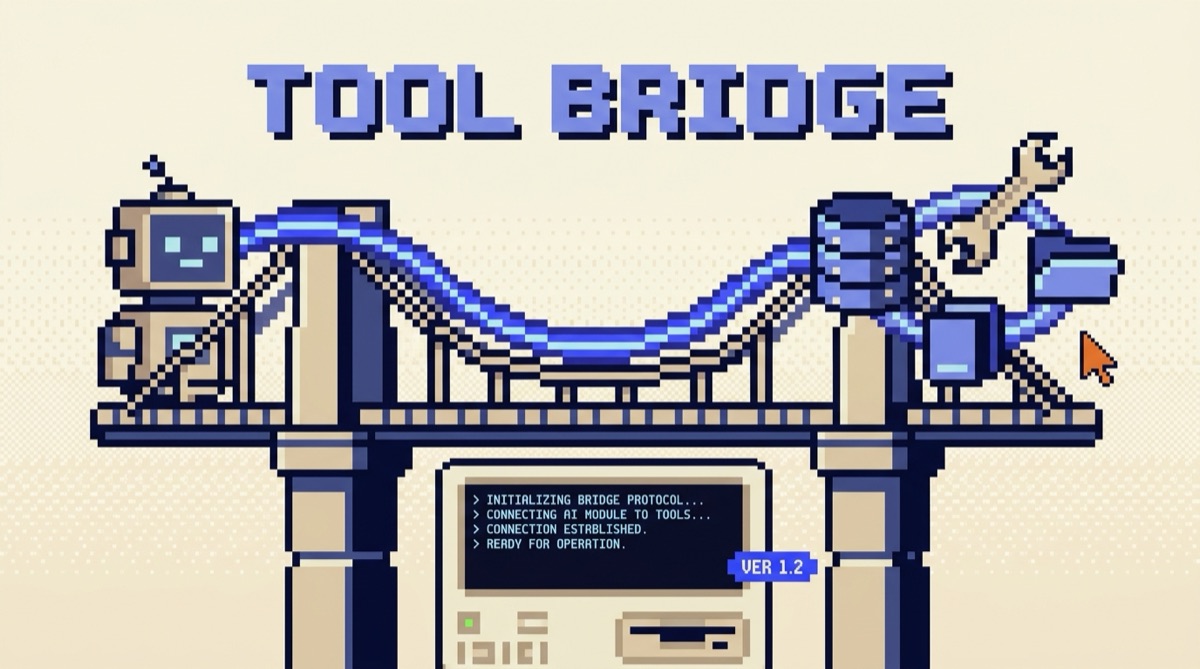
An MCP server is a small program that exposes your tools and data to an AI through one standard protocol, so any MCP-capable app can use them without custom wiring. MCP stands for Model Context Protocol. The AI connects to the server, asks what it can do, and then calls those capabilities. Here is the whole idea, minus the jargon.
TL;DR
- An MCP server advertises tools, data, and prompt templates to an AI in a standard format. The AI host connects and uses them.
- MCP is an open standard, not a Claude-only feature. Build a server once and any MCP client can use it.
- The win is the N-by-M problem. Without a standard, every app needs custom glue for every tool. MCP makes it one protocol.
- You can use a server in minutes by pasting a config entry. Building a basic one is a short file with an official SDK.
- Treat servers like software you install: trust the source, scope the permissions, and review what actions they can take.
What an MCP server actually is
Picture the last time you wanted your AI to do something real: read a file from your repo, pull a row from your database, post a message in Slack. The model cannot do any of that on its own. It needs a bridge to the outside world. Before MCP, every one of those bridges was hand-built and one-off, glued to a single app.
An MCP server is that bridge, standardized. It is a program you run that says, in a format every MCP client understands, "here are the tools I offer, here is the data I can read, here are the prompts I provide." The AI host connects, reads that menu, and calls what it needs. The server does the actual work and hands the result back.
The key shift is the word standard. The same server that works in one AI app works in the next one, because they all speak the same protocol. You write the integration once instead of rebuilding it for every tool you adopt.
How the connection works
There are two halves: the client and the server. The client lives inside the AI host you already use, like Claude or your code editor. The server is the thing you connect to. When the host starts, the client opens a connection to each configured server and runs a quick handshake: it asks what the server can do, the server answers with its list of capabilities, and from then on the model can call them.
Under the hood the two sides exchange structured messages, but you rarely touch that layer. What matters is the model: from its point of view, a connected server simply adds a set of new tools it is allowed to call, described in plain language so it can pick the right one.
What an MCP server exposes
A server can offer three kinds of things, and good ones are deliberate about which they use.
Tools are the ones you will use most. A tool is an action the model can take: search a database, create a calendar event, open a pull request. Each tool has a name, a plain description of what it does and when to use it, and a defined set of inputs. The model reads those descriptions to choose, so vague descriptions produce wrong calls. Write them like you are briefing a sharp new hire with no context.
Resources are read-only data the server makes available for context, like the contents of a file or a record from your system. Prompts are reusable templates the server offers the host, handy for canned workflows. Start with tools. Add resources and prompts only when a job clearly needs them.
Why MCP matters: the N-by-M problem
Here is the problem MCP solves, and it is worth seeing plainly. Say you have a handful of AI apps and a handful of tools you want them to reach. Without a standard, every app needs its own custom integration for every tool. Four apps and five tools means twenty separate integrations to build and maintain. That is the N-by-M problem, and it is why AI integrations used to rot so fast.
MCP collapses it. Each tool ships one server. Each app ships one client. Now any app talks to any tool through the same protocol, and the math goes from N times M down to N plus M. You build a Postgres server once and every MCP host can query your database. Someone else builds a GitHub server and you get it for free. The ecosystem compounds because nobody is rewriting the same glue.
This is the same instinct behind keeping a tight, reusable toolset in the first place. If you are still assembling your core stack, the AI Daily Driver Stack is the short list I actually run, and a lot of it is reachable over MCP today.
How to connect your first MCP server
You do not need to build anything to get value. Most builders start by connecting one that already exists.
- Pick a server for a tool you use. Files, GitHub, a database, your notes app. There are public directories of servers, and many popular tools now ship an official one.
- Add it to your AI host. In most hosts this is a config entry you paste in, with the command to launch the server and any keys it needs. Some hosts have a one-click install. After a restart, the host connects and the new tools appear.
- Confirm the tools are live. Ask the AI to list what it can now do, or just give it a task that needs the server. If it calls the new tool and returns a real result, you are wired up.
- Scope the access. Give the server only the permissions the job requires. A read-only task does not need write access. This one habit prevents most of the trouble people hit.
That is the whole on-ramp. The first time an AI in your editor reads your actual files or queries your real database through a server you added in two minutes, the point of MCP clicks. If you want a curated set of capabilities worth wiring up first, the Anthropic Skills Index pairs well with this, since skills and MCP servers both extend what your AI can actually do.
When to build a server versus install one
Most of the time, install. If a maintained server already wraps the tool you want, use it and move on. Building is for the case where the integration does not exist yet or is specific to you: your internal API, your proprietary database, a workflow only your team runs.
When you do build, keep it small. A basic server is a short file using an official SDK that exposes one or two tools with sharp descriptions. Resist the urge to expose everything. Each tool you add is another thing the model can pick wrong, so a focused server with three good tools beats a sprawling one with thirty. Name one job, wrap the few actions it needs, and ship that. You can always add more once it earns its place.
The bottom line
An MCP server is the standard bridge between an AI and the real tools and data it needs to do work. It exposes tools, resources, and prompts in a format every MCP client understands, which turns the old N-by-M tangle of custom integrations into one protocol everyone shares. Start by connecting an existing server to a tool you already use, scope its access tightly, and build your own only when nothing off the shelf fits. Get that right and your AI stops being a clever text box and starts acting on the systems you actually run.
If you want the practical AI moves worth making each week, join the OpusJake newsletter. And when you are ready to wire AI into real systems, that is exactly what I do at opusjake.ai.
What is an MCP server in simple terms?
An MCP server is a small program that exposes your tools and data to an AI in a standard way. The AI host connects to it, asks what it can do, and then calls those capabilities. Think of it as a universal adapter: instead of hand-wiring every app to every tool, each tool ships one MCP server and any MCP-capable AI can use it.
What is the difference between an MCP server and an MCP client?
The client lives inside the AI host, like Claude or your IDE, and speaks the protocol. The server is the thing you connect to: it advertises tools, resources, and prompts, then runs them when asked. One client can connect to many servers at once. You usually install or build servers, and the host you already use ships the client.
Do I need to know how to code to use an MCP server?
No, to use one. Many AI hosts let you add a server by pasting a config entry or clicking install, then the tools just appear. You only need to code if you want to build a custom server that wraps your own API or database, and even then a basic server is a short file using an official SDK.
Is MCP only for Claude?
No. The Model Context Protocol is an open standard, and a growing set of AI apps, IDEs, and agent frameworks ship MCP clients. A server you build works with any of them. That portability is the whole point: write the integration once, use it everywhere that speaks MCP.
Is it safe to connect an MCP server to my AI?
It depends on the server and its permissions. A server can read data and take actions, so treat it like installing software: use servers you trust, give them the narrowest access that does the job, and review what tools they expose. For anything that writes or deletes, confirm the server is from a source you vet.
OpusJake is Jake Schincariol's operating system for building with AI: agents, workflows, prompts, and the free resources behind them. Get the next move every week.