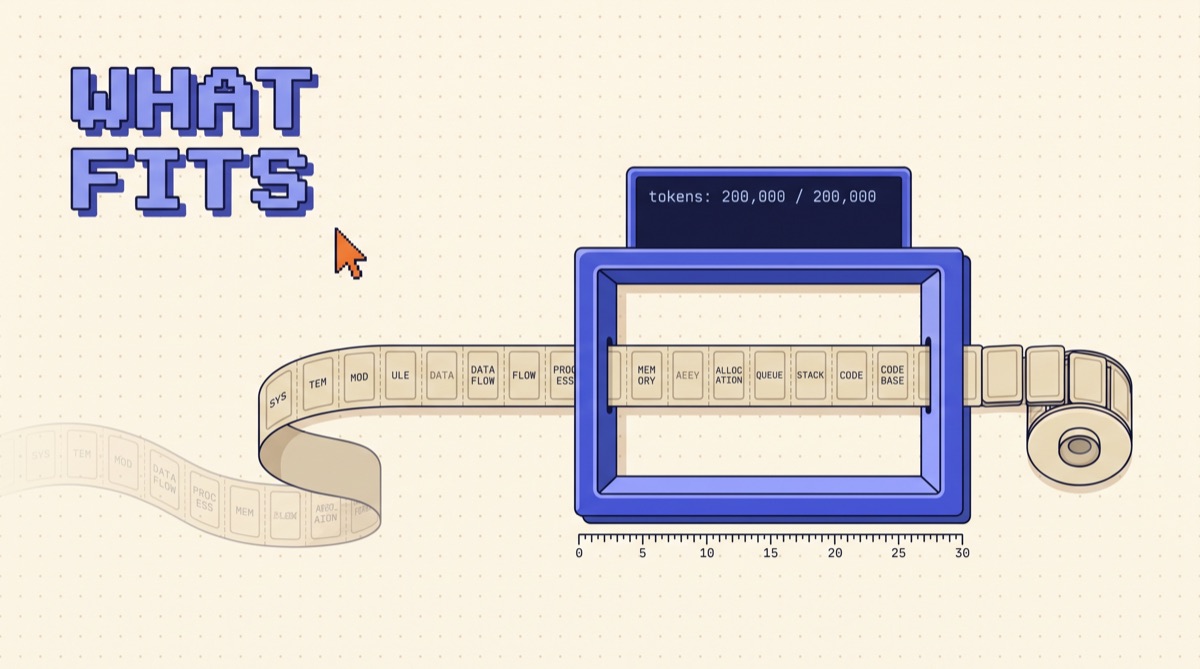
A context window is the maximum amount of text, measured in tokens, that a language model can process in one request. It holds everything the model sees: your system prompt, tool definitions, chat history, any documents you pasted in, and the answer it writes back. Nothing outside the window exists for the model on that call. Today's frontier models range from about 128,000 to over 1,000,000 tokens.
That number gets quoted like a spec sheet stat, and builders treat it like disk space: more is better, fill it up. That is how you end up with an agent that costs $0.80 per message and still forgets the instruction you gave it in turn three. The window is a budget, not a bucket.
01TL;DR
- The context window is the model's entire working memory for one call. Prompt, history, documents, and output all share it.
- 1,000 tokens is about 750 English words. Code and JSON cost more per word. Count, don't guess.
- Bigger windows don't mean better recall. Models find facts at the start and end of a long prompt more reliably than in the middle.
- Every token is paid on every call. A 100,000 token history resent 40 times is 4 million input tokens.
- Budget the window on purpose. Fixed slots for instructions, tools, retrieved context, history, and output, with a rule for what gets trimmed first.
02How a context window actually works
Models don't read words. They read tokens, which are chunks of text from a fixed vocabulary. "Context" is one token. "Contextualization" might be three. A space plus a common word is usually one.
On every request, the API stitches together a single sequence of tokens:
- System prompt (your instructions)
- Tool and function definitions
- Prior turns of the conversation
- Any retrieved or pasted content
- The newest user message
- The model's reply, generated one token at a time
All six pieces share one limit. The model has no hidden memory between calls. When your chat app "remembers" what you said ten messages ago, that is the app resending those ten messages every single time.
This is the single most useful mental model for building with LLMs: every call is a fresh read of whatever you put in the window, and nothing else.
03What fits: the token math
Rough conversion numbers for English, good enough for planning:
| Content | Approx. tokens |
|---|---|
| 1 page of prose (500 words) | ~670 |
| A 20-page contract | ~13,000 |
| A 300-page book | ~120,000 |
| 1,000 lines of Python | ~10,000 to 12,000 |
| A 50-row JSON API response | ~3,000 to 6,000 |
| One tool definition with a detailed schema | ~150 to 600 |
Two things surprise people here. First, structured data is expensive. JSON repeats every key on every row, so a table that reads small on screen can eat 5,000 tokens. Second, tools add up. An agent wired to 40 tools through a few MCP servers can spend 15,000 tokens on definitions before the user types anything.
Measure with the real tokenizer. Anthropic, OpenAI, and Google all expose a token counting endpoint or library. Log input_tokens and output_tokens from every API response. That one habit catches most context problems before users do.
04Long context vs. good context
A 1 million token window lets you send an entire codebase. It doesn't mean the model will use all of it well.
Research and every long-context eval I have run point the same way: recall is strongest at the beginning and end of the prompt and weakest in the middle. A fact sitting at token 400,000 of 800,000 gets missed far more often than the same fact placed near the question. Accuracy on multi-step reasoning across many scattered facts drops faster still.
Practical rules that come out of that:
- Put instructions at the top and the question at the bottom. For long documents, restate the key task right before the model answers.
- Send the relevant 5% instead of the whole 100%. Retrieval that pulls the right 8 chunks beats dumping 300 pages. The RAG vs fine-tuning breakdown covers when retrieval is the right call.
- Label every block. Wrap documents in tags like
<contract>and<email_thread>so the model knows what it's looking at and can cite it. - Test recall on your own data. Plant a known fact deep in a real prompt and check whether the model finds it. Five minutes, and you'll know where your ceiling is.
Long context earns its keep when the task truly needs the whole thing at once: reviewing a full contract for conflicts between clauses, refactoring across a large file, or summarizing a long transcript. For "answer this question using our docs," retrieval wins on accuracy and cost.
05The cost and latency side
Input tokens are billed on every call. That is the part people miss.
Say your support agent keeps the full conversation plus a 30,000 token knowledge pack in context. By turn 20, the history is another 20,000 tokens. That's 50,000 input tokens per message. At $3 per million input tokens, that's $0.15 per reply, and a busy agent sends thousands of replies a day. Latency climbs with it: time to first token grows noticeably once prompts pass 100,000 tokens.
Three levers bring this down:
- Prompt caching. Put stable content (system prompt, tools, knowledge pack) first and mark it cacheable. Cached reads cost a fraction of normal input. How prompt caching works has the setup.
- Summarize old turns. After 10 or so turns, replace the oldest ones with a 300-token summary of decisions and open items.
- Load tools on demand. Expose a small core set and fetch the rest when a task needs them, instead of sending 40 schemas every call.
06How to budget a context window
Treat the window like a page layout with fixed regions. Here is the budget I start from for a 200,000 token agent, aiming to stay under 60,000 on a typical call:
| Slot | Budget | Rule |
|---|---|---|
| System prompt | 2,000 to 4,000 | Stable, cached, never trimmed |
| Tool definitions | 3,000 to 8,000 | Core tools only, rest loaded on demand |
| Retrieved context | 10,000 to 25,000 | Top chunks, labeled, deduplicated |
| Conversation history | 5,000 to 15,000 | Recent turns verbatim, older turns summarized |
| Reserved for output | 4,000 to 16,000 | More for reasoning models |
Then write the trim order down in code, not in your head. Mine is: drop retrieved chunks with the lowest relevance score first, then compress older history into a summary, then shrink tool outputs to their key fields. The system prompt and the latest user message never get cut.
Two failure modes to guard against:
- Silent truncation. Some frameworks drop the oldest messages when you hit the limit. If the oldest message is your system prompt, the agent quietly forgets its rules. Assert that the system prompt is present on every call.
- Tool output floods. One
searchcall that returns 40,000 tokens of raw HTML can blow the budget mid-task. Cap tool output size and return summaries or IDs the agent can expand.
This is the core of what people now call context engineering: deciding, call by call, what earns a place in the window.
07Context windows in agents
Agents make all of this harder because they loop. Each step appends a tool call and a tool result, so a 30-step task can grow from 8,000 tokens to 150,000 without a single new user message.
What works in practice:
- Checkpoint to files. Have the agent write its plan and progress to a notes file, then start the next phase with a fresh window that loads only the notes. Claude Code does this with compaction and CLAUDE.md files.
- Give subagents their own windows. A research subagent can read 100,000 tokens and hand back a 1,500 token summary. The parent never pays for the raw reading.
- Store memory outside the window. Facts that matter across sessions belong in a database or file the agent searches, not in an ever-growing history. The agent memory guide breaks down the layers.
If you want a working starting point for agents built this way, the AI Agents 101 resource walks through the setups I use, including how each one keeps its context small.
08The bottom line
A context window is the model's whole world for one request: prompt, tools, history, documents, and reply, all sharing one token limit. The limit tells you what you can send. Accuracy, cost, and latency tell you what you should send, and that is almost always much less.
Count tokens on every call, give each part of the prompt a fixed budget, put the important parts at the edges, and decide in code what gets trimmed first. Do that and a 200,000 token model will outperform a careless 1 million token setup.
I share the token budgets, prompt layouts, and agent patterns I run in production in the OpusJake newsletter.
Frequently asked
What is a context window in an LLM?
A context window is the maximum number of tokens a language model can read and write in a single request. It includes everything: the system prompt, tool definitions, conversation history, retrieved documents, the user's message, and the model's own reply. If the total goes past the limit, the request fails or the oldest content gets cut. The model has no memory outside that window, so anything not inside it on a given call does not exist for the model.
How many words fit in a context window?
For English prose, one token averages about three quarters of a word, so 1,000 tokens is roughly 750 words. A 200,000 token window holds around 150,000 words, about two long novels. Code, JSON, tables, and non-English text use more tokens per word, often 1.5 to 3 times as many, so measure with the provider's token counter instead of guessing from word count.
Is a bigger context window always better?
No. A bigger window raises the ceiling on what you can send, but accuracy drops as context grows, especially for facts buried in the middle of a long prompt. Every token also costs money and adds latency on every call. Most production apps get better answers from 10,000 to 30,000 well-chosen tokens than from 500,000 tokens of everything. Use long context when the task truly needs the whole document, and retrieval or summaries when it doesn't.
What happens when you exceed the context window?
The API returns an error, or your framework silently truncates the oldest messages to make room. Silent truncation is the dangerous one: the model loses the system instructions or an early user requirement and starts behaving differently with no error to warn you. Track token counts on every call, set a budget below the hard limit, and decide explicitly what gets summarized or dropped first.
Do output tokens count against the context window?
Yes. Input and output share the same window. If a model has a 200,000 token window and you send 195,000 tokens of input, the reply can be at most 5,000 tokens, and many models also cap output separately at a lower number. Reserve output room up front, especially for reasoning models, whose hidden thinking tokens also come out of that shared budget.