How to Get Reliable Structured Output From an LLM (JSON, Plainly)
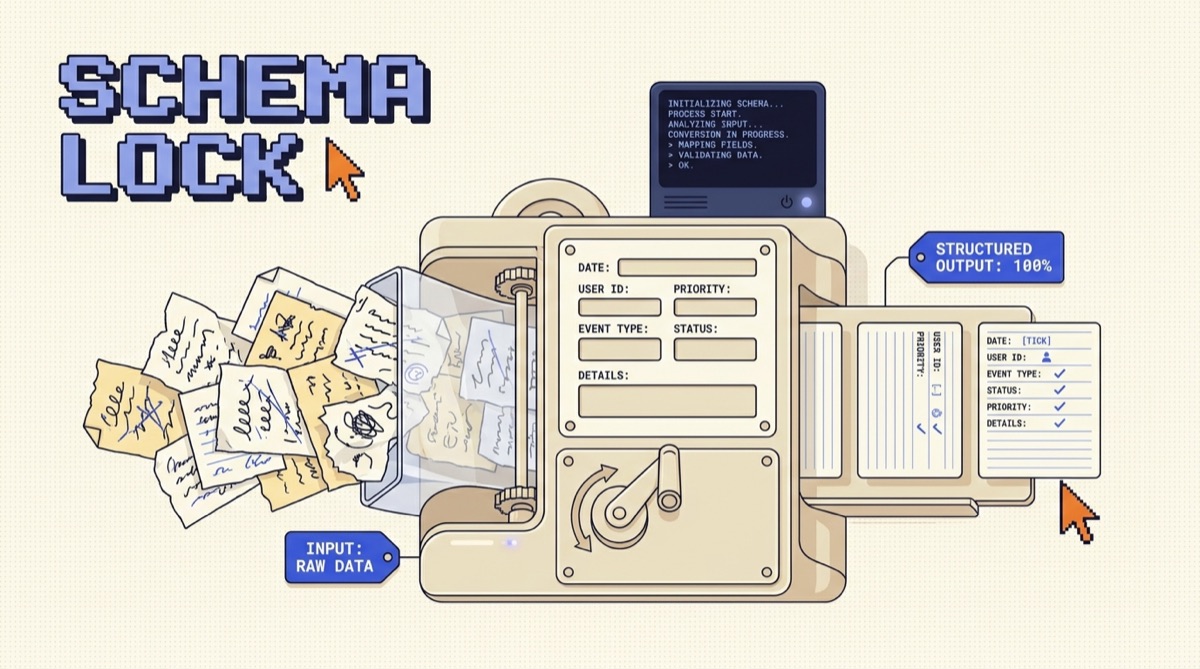
To get reliable structured output from an LLM, do three things: ask for a specific schema, use your provider's structured output or tool-calling mode instead of parsing free text, and validate every response against that schema with code that retries on failure. Prompting alone gets you most of the way. The API-level controls and a validation loop close the last, painful gap between output that usually parses and output you can build on.
TL;DR
- Stop parsing prose. Turn on structured output (JSON mode) or tool calling so the model is constrained to a schema at generation time, not asked nicely in the prompt.
- Declare the shape you want as an explicit schema and pass it in the request. The model fills in the fields instead of inventing a format.
- Validate every response against that schema in code. Well-formed is not the same as correct, and a present field can still hold a wrong value.
- Add a repair loop. On a validation failure, feed the exact error back to the model and retry, capped at two or three attempts.
- Keep schemas small and flat. Fewer fields and shallow nesting mean fewer ways for the output to go wrong.
Why LLMs break your JSON parser
A language model generates text one token at a time. When you ask it for JSON in the prompt and nothing else, you are trusting it to produce perfect syntax across a whole response with no guardrail. Most of the time it works. Then it wraps the object in an explanation, adds a trailing comma, uses single quotes, or runs long and stops mid-object. Your parser throws, and the failure lands in production on the one input you did not test.
The mistake is treating the model like a formatter. It is a predictor. If the format is only a request in the prompt, the model can predict its way out of it. The fix is to move the format out of the prompt and into a constraint the API enforces, so valid structure is the only thing that can come back.
Level up: from asking to enforcing
There is a ladder here, and where you sit on it decides how often your parser breaks. Each rung catches what the one below it misses.
Rungs one and two live in the prompt. You ask for JSON, and you show a couple of example outputs so the model copies the shape. This helps and costs nothing, but it is still a request the model can ignore. Rung three moves the format into the API. Rung four wraps the whole thing in code that checks the result. Most builders stop at rung two and wonder why they still get the occasional broken response. The reliability lives in three and four.
Use schema mode or tool calling, not prompt parsing
Every major provider now gives you a way to constrain output to a shape. The names differ. Structured output, JSON mode, and response schema all describe the same idea: you pass a schema in the request, and the model is forced to return a single object that matches it. Tool calling is the same trick pointed at actions, where you define functions with typed inputs and the model returns which one to call plus the arguments as structured data.
Pick by intent. If you want one shaped result back, like pulling name, email, and priority out of a support message, use structured output. If the model needs to choose what to do next and hand arguments to real code, use tool calling. Both constrain generation to a schema, so both hand you parseable structure instead of a paragraph with a code fence in it. This is also the backbone of connecting a model to your own systems, which is what an MCP server does under the hood: typed tools the model can call with structured arguments.
The practical move is to define the schema once and pass it on every call. Declare the fields, their types, which are required, and any allowed values for enums. Now the model is filling in a form you designed rather than inventing a format on the spot.
Validate every response, because well-formed is not correct
Schema mode guarantees the output parses and matches the declared shape. It does not guarantee the values are right. A priority field can come back as urgent when your code only handles high, medium, and low. A number can land outside the range you expected. A required field can be present but empty. Well-formed and correct are two different bars, and only one of them is enforced for free.
So validate in code. Run the parsed object through a schema validator that checks types, required fields, ranges, and enum values. Use whatever your stack already has, a schema library in your language of choice, and treat a validation failure the same way you treat a failed API call: caught, logged, and handled, never passed downstream. This is the same instinct as building a test set before you trust a model, covered in how to test an AI agent before you ship it. Validation is that test running live on every response.
Add a repair loop for the failures that slip through
Even with schema mode and validation, a small fraction of responses will fail the value checks. The wrong move is to give up or crash. The right move is a repair loop: catch the failure, tell the model exactly what was wrong, and ask it to fix only that, then validate again.
Keep the loop tight. Two or three attempts, then fail loudly so a genuinely broken case surfaces instead of spinning and burning tokens. Feed the model the specific validation message, not a vague "that was wrong," because the model repairs a named error far better than a general complaint. And log every failure with the field that broke. Those logs tell you where your schema or prompt is weak, which is the fastest path to making the whole thing more reliable over time.
Keep the schema small and flat
The more you ask for in one shape, the more ways the output can go wrong. A schema with twenty fields and three levels of nesting gives the model twenty chances to miss and a deep structure to get lost in. A schema with five flat fields is easy to fill correctly and easy to validate.
So trim. Ask for only the fields you will actually use. Prefer a flat object over nested objects when you can. Split a giant extraction into two smaller calls if the single schema is getting unwieldy, since two reliable calls beat one call that fails a third of the time. Use enums to pin down fields with a fixed set of values, so the model picks from a list instead of writing free text you then have to normalize. Tight schemas are the cheapest reliability you can buy, and they pair well with the prompt patterns in Secret Codes Vol. 1 for steering output shape.
The bottom line
Reliable structured output is not a prompting trick, it is a small system. Declare the shape you want as a schema, use structured output or tool calling so the provider enforces that shape at generation time, validate every response in code, and wrap it in a short repair loop that feeds errors back and retries. Keep the schema small and flat so there is less to get wrong. Do that and the model stops being a source of surprise JSON and starts being a dependable component you can build real software on.
Want the practical builder playbooks as they drop? Join the newsletter. One email, no fluff, the tools and patterns worth keeping close.
How do I get an LLM to return valid JSON every time?
Do not rely on prompting alone. Use your provider's structured output feature, which some call JSON mode or a response schema, or use tool calling with a defined input schema. Both force the model to emit output that matches a shape you declare, so you get well-formed JSON instead of prose with a code block buried in it. Then validate every response in code against the same schema and retry on failure. Prompting gets you most of the way, but the API-level controls plus a validation loop are what make it reliable enough to ship.
What is the difference between JSON mode and tool calling for structured output?
JSON mode, or structured output, tells the model to return a single JSON object that matches a schema you pass in the request. Tool calling defines one or more functions with typed inputs, and the model returns which function to call and the arguments as structured data. Use structured output when you want one shaped result back, like extracting fields from a document. Use tool calling when the model needs to choose an action or pass arguments to real code. Under the hood both constrain the output to a schema, so both give you parseable structure instead of free text.
Why does my LLM sometimes return broken or invalid JSON?
Usually because you asked for JSON in the prompt but did not use a mode that enforces it. Free-text generation can wrap the JSON in an explanation, add trailing commas, use single quotes, or stop early on a long response. The fix is to stop parsing prose. Turn on structured output or tool mode so the shape is constrained at generation time, keep the schema small and flat so there is less to get wrong, and validate the parsed result against the schema so a bad response is caught and retried instead of crashing downstream code.
Do I need to validate LLM output if I use JSON mode?
Yes. JSON mode guarantees the output parses as JSON and matches the declared shape, but it does not guarantee the values make sense. A field can be present and still be wrong, a number can be out of range, or an enum can hold a value your code does not handle. Validate every response against a schema that checks types and constraints, and add a retry step that feeds the error back to the model. That closes the gap between well-formed and actually correct.
How do I handle an LLM response that fails validation?
Wrap the call in a small repair loop. Parse and validate the response, and if it fails, send the model the exact validation error and ask it to fix only what was wrong, then validate again. Cap the loop at two or three attempts so a persistently bad case fails loudly instead of spinning. Log the failures so you can see which fields break most often, then tighten the schema or the prompt around those. Most transient failures clear on the first retry once the model sees the specific error.
OpusJake is Jake Schincariol's operating system for building with AI: agents, workflows, prompts, and the free resources behind them. Get the next move every week.