How to Give Your AI Agent Memory (Working, Short-Term, Long-Term)
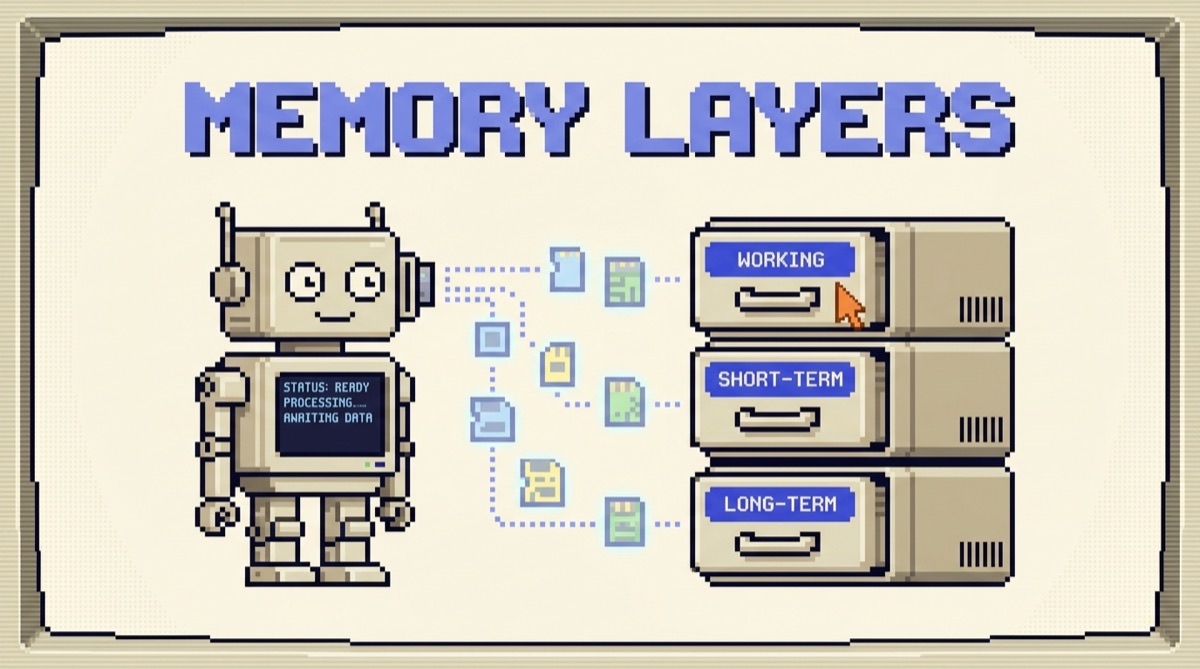
To give an AI agent memory, you store information outside the model and feed the relevant pieces back into each call. The model is stateless, so it forgets everything the instant a response ends. Memory is three layers you build around it: working memory for the current task, short-term memory for the conversation, and long-term memory for facts that survive across sessions. The agent feels like it remembers because you reassemble those layers into the prompt on every call.
TL;DR
- A language model has no memory of its own. Every call is independent and only sees what is in that one prompt.
- Build memory in three layers: working (this task), short-term (this conversation), long-term (facts that persist).
- Short-term is a running transcript. When it gets long, summarize the old part instead of dropping it.
- Long-term is a small set of saved facts you retrieve by relevance. Use a plain database for structured facts, a vector store only when lookup by meaning is the bottleneck.
- The hardest part is not storage. It is the filter: deciding what is worth remembering and what is noise.
Why your agent forgets everything
A large language model does not carry anything between calls. When you send a prompt, the model reads it, generates a response, and the slate is wiped. The next call starts from nothing. There is no hidden notebook on the model's side that quietly accumulates what you said yesterday.
So when a chatbot "remembers" your name three messages later, that is not the model recalling anything. The application resent the earlier messages in the new prompt. The illusion of memory is entirely your job to produce. Get that straight and the whole topic gets simpler: you are not teaching the model to remember, you are building a system that decides what to put in front of it each time.
Two failure modes follow directly. If you resend nothing, the agent is amnesiac and asks the same questions over and over. If you resend everything forever, you eventually overflow the context window, costs balloon, and accuracy drops as the real signal drowns in old chatter. Good memory is the middle path: keep what matters, drop what does not, and retrieve the right piece at the right moment.
The three layers of agent memory
Think of agent memory as three layers, each with a different lifespan, all assembled into the prompt on every call.
Working memory is the scratchpad for the task in front of the agent right now: the plan it just wrote, the result a tool just returned, the intermediate numbers in a calculation. It only needs to live for the current turn or task, then it can be thrown away.
Short-term memory is the conversation. It is the running back-and-forth that lives in the context window for this session. It is why the agent can answer "what about the second one?" without you repeating the whole list.
Long-term memory is the small set of facts you deliberately keep across sessions: a user's name, that they prefer metric units, a one-paragraph summary of the project you worked on last month. It lives in an external store and gets pulled back in when relevant, even in a brand new conversation weeks later. This is the layer most people mean when they say they want their agent to "have memory," and it is closely related to context engineering, the discipline of deciding exactly what goes into the window.
Short-term memory: managing the conversation
The naive version of short-term memory is easy: keep a list of every message and resend the whole list on each call. This works right up until the conversation gets long. Then you hit the context window limit, your costs climb with every turn because you are rebilling the entire history, and the model starts losing the thread as the important early details sit buried under small talk.
Three patterns handle this, in rough order of sophistication:
- Sliding window. Keep only the last N messages. Dead simple, and fine for short tasks, but the agent forgets anything that scrolled off the top. Use it when old turns genuinely do not matter.
- Summarize and replace. When the transcript passes a threshold, ask the model to compress the older half into a tight summary, then keep that summary plus the recent raw messages. You preserve the gist of the whole session at a fraction of the tokens. This is the workhorse pattern for long chats.
- Summarize into long-term memory. Before you discard the old turns, extract any durable facts ("user is shipping a React app, deadline Friday") and write them to the long-term store. The conversation may end, but those facts now outlive it.
The key instinct: when short-term memory overflows, do not just drop the old turns. Compress them, and promote anything durable down into long-term storage.
Long-term memory: storing and retrieving facts
Long-term memory is a write step and a read step around an external store. After a turn, you decide what is worth keeping and write it down. Before a later turn, you retrieve the pieces relevant to what the user is asking and load them into the prompt.
How you store it depends on the shape of the facts:
- Structured facts per user. A name, a plan tier, a unit preference, a timezone. Put these in a normal database row or a JSON record keyed by user. Retrieval is a direct lookup. No vectors needed, and it is far more reliable than semantic search for things that have a definite answer.
- Unstructured, growing knowledge. Hundreds of past notes, messages, or documents where the agent needs the few most relevant pieces by meaning. This is where a vector store earns its place: you embed each memory, embed the current query, and retrieve the closest matches. That retrieval-by-meaning is the same machinery behind RAG.
A practical rule: start with the simplest store that answers your lookups. A table of facts beats a vector database for the first version of almost every agent. Add embeddings the day exact-key lookup stops being enough, not before.
What to actually remember (the filter)
Storage is the easy part. The hard part is the filter, because remembering the wrong things is worse than remembering nothing. An agent that saves every passing comment ends up retrieving five contradictory "preferences" and behaving erratically.
A filter that holds up in practice: save a fact to long-term memory only if it is durable (true beyond this one conversation), specific (a concrete preference or detail, not a vague mood), and likely to be useful again (you can imagine a future turn where recalling it changes the answer). "User prefers short replies" passes all three. "User said thanks" passes none.
Two more guardrails worth building in early. Make memories updatable, so when a fact changes, the new value replaces the old one instead of piling up next to it. And when you load long-term memories into a prompt, label them as remembered context, so the model treats them as background rather than as a fresh instruction from the user. Both prevent the slow drift that makes a memory system feel unreliable over time.
A worked example: a support agent that remembers
Picture a customer support agent. Here is how the three layers play out across one ticket and the next.
- Turn one. The user writes in about a failed export. The agent retrieves long-term memory keyed to this user and finds two saved facts: they are on the Pro plan and they reported a similar export bug last month. It loads both into the prompt as remembered context.
- During the conversation. Working memory holds the current diagnostic steps and the result of a status-check tool call. Short-term memory holds the running transcript so the agent can reference "the error you pasted above" without asking for it again.
- The conversation gets long. It passes the threshold, so the agent summarizes the older turns into one paragraph and keeps that plus the recent messages. Token count drops, the thread stays intact.
- The ticket closes. The write step runs the filter and saves one durable fact: "Export bug recurred on 30 Jun, resolved by clearing cached credentials." It does not save the small talk.
- Next week, a new ticket. Fresh conversation, empty short-term memory. But the retrieve step pulls that saved fact, and the agent opens with informed context instead of starting from zero.
Nothing here required a fancy framework. It is a store, a filter, a summarizer, and the discipline to assemble the right layers into each call. If you want a running list of the tools that make this kind of plumbing fast to build, the AI Daily Driver Stack covers the ones I actually use. And if you want each new builder guide as it ships, the OpusJake newsletter is where they land first.
The bottom line
AI agent memory is not a model feature you switch on. It is a system you build around a model that forgets everything between calls. Keep the three layers straight: working memory for the current task, short-term memory for the conversation you summarize instead of dropping, and long-term memory for the small set of durable facts you save and retrieve by relevance. Start with the simplest store that works, spend your real effort on the filter that decides what is worth keeping, and the agent will feel like it remembers, because you made it.
How do I give an AI agent memory?
You store information outside the model and feed the relevant pieces back into each call. The model itself is stateless and forgets everything the moment a response ends, so memory is something you build around it in three layers. Working memory holds notes for the current task. Short-term memory holds the conversation so far, usually as a running transcript that you trim or summarize when it gets long. Long-term memory holds facts that should survive across sessions, saved to a database or a vector store and retrieved by relevance on later turns. On every call you assemble the useful parts of all three into the prompt, which is what makes the agent feel like it remembers.
What is the difference between short-term and long-term agent memory?
Short-term memory is the current conversation, the back-and-forth that lives inside the context window for this session. It disappears when the session ends unless you persist it. Long-term memory is the small set of facts you deliberately save to an external store, like a user's name, their preferences, or a summary of a past project, so the agent can recall them weeks later in a brand new conversation. Short-term is everything from this chat. Long-term is the handful of things worth keeping from every chat.
Do I need a vector database for AI agent memory?
Not always. If an agent only needs to remember a handful of structured facts per user, a normal database table or even a JSON record is simpler and more reliable than a vector store. You reach for a vector database when long-term memory grows large and unstructured, like hundreds of past notes or documents, and you need to retrieve the few most relevant pieces by meaning rather than by an exact key. Start with the simplest store that works and add vectors only when lookup by meaning becomes the bottleneck.
Why does my AI agent forget what I told it?
Because a large language model has no memory of its own. Each API call is independent, and the model only knows what is inside the prompt for that single call. If you do not resend earlier messages, or if the conversation grew past the context window and old turns fell out, the agent has genuinely never seen that information on this call. The fix is to manage memory yourself: keep the conversation in short-term memory, summarize it before it overflows, and save the facts that matter to a long-term store you reload on later turns.
OpusJake is Jake Schincariol's operating system for building with AI: agents, workflows, prompts, and the free resources behind them. Get the next move every week.