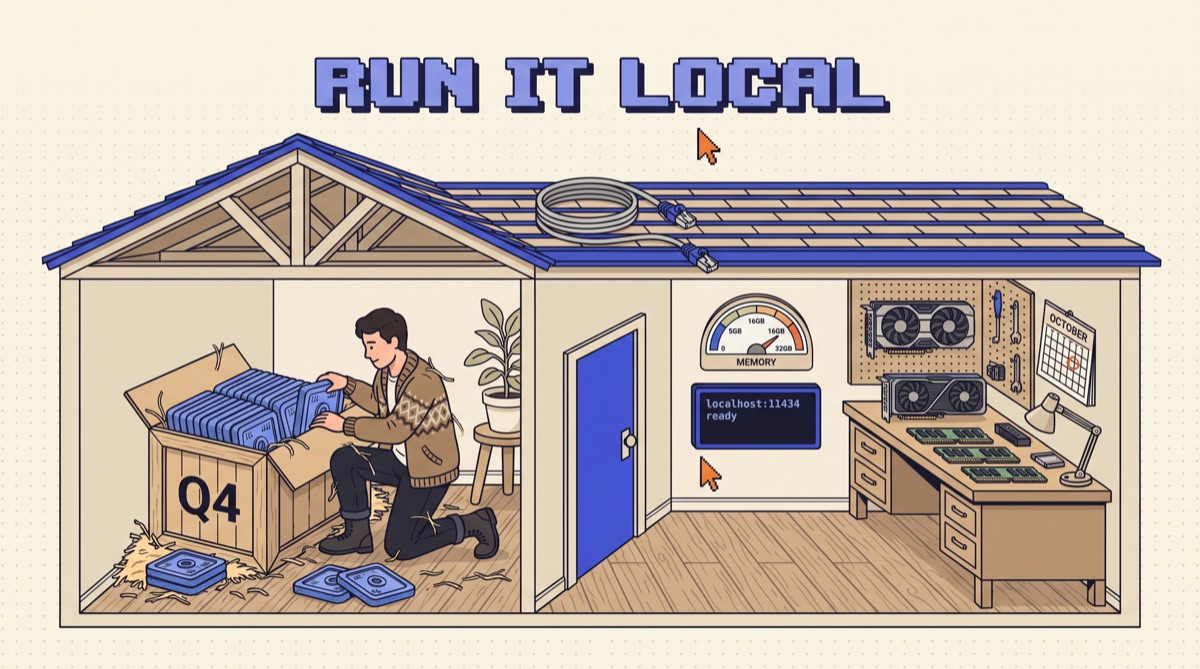
To run an LLM locally, pick an open-weights model whose 4-bit file fits in about two thirds of your RAM or VRAM, install a runtime like Ollama, LM Studio, or llama.cpp, and run it. One command downloads the model and starts a local server with an OpenAI-compatible API, so your existing code can call it by changing one URL.
The install is the easy part. What decides whether local is useful or a toy is the math: how much memory the model and its context actually take, how fast your hardware can push tokens, and whether a small model is good enough for the job you have in mind. This guide covers all three, then wires the result into real code.
01TL;DR
- Memory is the gate. 4-bit weights cost about 0.6GB per billion parameters. Add roughly 1GB per 8K tokens of context for an 8B model, plus OS headroom.
- Speed is memory bandwidth. Tokens per second tops out near bandwidth divided by model size. A 5GB model on 400GB/s memory has a ceiling around 80 tokens per second.
- Start with Ollama and Q4_K_M. One command, a sane default quantization, and a local API on port 11434.
- Raise the context window yourself. Runtime defaults are small, and a silently truncated prompt looks exactly like a dumb model.
- Local wins on narrow, repeated, private work. Keep a hosted model for hard reasoning and long agent runs.
02Why run a model on your own machine
Four reasons hold up in practice. Privacy: contracts, health notes, and customer data never leave the laptop, which settles a compliance question before it starts. Cost at volume: a nightly job that classifies 200,000 support tickets costs electricity instead of an API invoice. Offline and latency: no network round trip, no rate limits, no outage page. Control: the weights do not change under you, so an evaluation you passed in March still passes in October.
What you give up is ceiling. A model that fits in 16GB is a fraction of the size of the hosted flagships, and it shows on multi-step reasoning, long tool-calling loops, and obscure knowledge. If you are still deciding between hosting yourself and paying per token at scale, the open source AI break-even guide covers server economics. This post is about the laptop or desktop in front of you.
03Step 1: Do the memory math before you download anything
Three things share your memory: the model weights, the KV cache that holds the conversation, and everything else your machine is running.
Weights. File size is roughly parameters times bits per weight divided by eight. At the common Q4_K_M quantization (about 4.8 bits effective), that works out to:
- 8B model: about 4.9GB
- 14B model: about 9GB
- 32B model: about 20GB
- 70B model: about 42GB
KV cache. Every token in the context window stores keys and values for every layer. For a Llama 3.1 8B style model at 16-bit precision that is about 128KB per token, so 8K tokens costs 1GB, 32K costs 4GB, and the full 128K costs 16GB. Context is not free. A model that loads fine can still fall over when you paste in a long document.
Headroom. On a Mac with Apple silicon, the GPU can use roughly two thirds to three quarters of unified memory by default, and your browser and editor want their share of the rest. On a PC, the model wants to live in GPU VRAM. Layers that spill to system RAM run several times slower.
Rule of thumb: if the Q4 file is bigger than half your total memory, pick a smaller model or a smaller quantization before you lose an afternoon to swapping.
04Step 2: Pick a quantization
Quantization stores each weight in fewer bits. It is the reason a model that needs 16GB at full 16-bit precision fits in 5GB. The format you will see most is GGUF, used by llama.cpp and everything built on it, with names like Q4_K_M, Q5_K_M, Q6_K, and Q8_0.
My default ladder:
- Q4_K_M for nearly everything. Roughly a third of the 16-bit size. On chat, summarization, and extraction the loss is hard to spot without a benchmark.
- Q5_K_M or Q6_K when you have spare memory and your evaluation set shows misses that Q4 makes and the bigger file does not.
- Q8_0 only for small models where memory is not a concern and you want output close to the original.
- Below 4-bit (Q3, Q2) only to cram a bigger model into limited memory. A 32B model at Q3 often still beats a 14B at Q4, but test it rather than assume.
A bigger model at Q4 usually beats a smaller model at Q8 for the same memory. Spend bits on parameters first.
05Step 3: Install a runtime
Three runtimes cover almost everyone. All three serve an OpenAI-compatible API.
 Ollama is the fastest path. Install it, then:
ollama run llama3.1:8b
That pulls a 4-bit build, detects your GPU, opens a chat, and starts a server at http://localhost:11434. ollama list shows what you have, ollama ps shows what is loaded and whether it sits on GPU or CPU, and ollama rm reclaims the disk.
LM Studio is the same idea with a desktop app. You browse and download models, see up front whether each quantization fits your memory, and switch on a local server at http://localhost:1234. On Apple silicon it can also run MLX builds, which are often faster on Macs than GGUF.
llama.cpp is the engine underneath much of this ecosystem. Use it directly when you want full control over flags or you are deploying to a headless box:
llama-server -m ./qwen2.5-14b-instruct-q4_k_m.gguf -c 16384 -ngl 99 --port 8080
-c sets the context window, -ngl 99 offloads every layer to the GPU, and the server exposes /v1/chat/completions.
06Step 4: Fix the context window before you judge the model
This is the mistake that makes people give up on local models. Runtimes ship with a small default context, often 4,096 tokens or less depending on version and available memory, to keep the KV cache small. Paste in a 20-page contract and the runtime drops the start of it without an error. The model then answers about a document it never saw, and it looks like a bad model.
Set it explicitly to what your task needs and your memory allows:
- Ollama:
/set parameter num_ctx 16384inside a chat,PARAMETER num_ctx 16384in a Modelfile, or theOLLAMA_CONTEXT_LENGTHenvironment variable for the server. - LM Studio: the context length slider when you load the model.
- llama.cpp: the
-cflag.
Then check the memory math from Step 1 again, because 16K tokens of cache on an 8B model is another 2GB.
07Step 5: Know your speed ceiling
Generating each token means reading every active weight from memory once. So decode speed is capped by memory bandwidth divided by model size. A 4.9GB model on a laptop chip with about 400GB/s of bandwidth tops out near 80 tokens per second, and real numbers land somewhat below that. The same model on a desktop GPU with about 1TB/s can go roughly twice as fast. A 42GB 70B model on that same 400GB/s machine caps near 10 tokens per second, which is slower than most people read.
Two practical consequences. Mixture-of-experts models only read their active parameters per token, so they run much faster than their total size suggests. gpt-oss-20b, for example, is built to run in about 16GB of memory and decodes quickly for its size. And prompt processing (reading your input) is a separate, compute-bound phase, so a long document on a CPU-only machine can take a minute before the first word appears even when decode is fine.
08Step 6: Call it from your code
Because all three runtimes speak the OpenAI chat completions format, your existing client works with a new base URL:
from openai import OpenAI

client = OpenAI(base_url="http://localhost:11434/v1", api_key="local") resp = client.chat.completions.create( model="llama3.1:8b", messages=[{"role": "user", "content": "Classify this ticket: refund not received after 14 days."}], temperature=0,
) print(resp.choices[0].message.content)
The API key is ignored but most clients require a non-empty string. Tool calling and JSON output work on models trained for them, but support varies by model and runtime version, so test the exact feature you need. For extraction jobs, validate every response against a schema and retry on failure; the structured output guide has the pattern.
Good first local jobs: tagging and routing inbound email, pulling fields from invoices into JSON, summarizing meeting transcripts you cannot send to a vendor, and code autocomplete in your editor. Each is narrow, repeated, and easy to score. If you want the full set of tools I keep running day to day, local and hosted, grab the AI daily driver stack.
09Step 7: Score it against the hosted model
Before you move real work local, build 30 to 50 examples from your actual inputs with known right answers. Run them through the local model and through the hosted model you use today. Compare accuracy, then compare what each miss costs you. If the local model gets 46 of 50 and the hosted one gets 48, and the job runs 10,000 times a day, local probably wins. If it is a weekly job where every miss reaches a customer, it probably does not. The model selection guide walks through matching tier to job.
10The bottom line
Running an LLM locally takes ten minutes. Running one well takes the math: size the Q4 file to what is left after your OS, set the context window yourself, expect speed to track memory bandwidth, and point your existing OpenAI client at localhost. Then put it on narrow, private, high-volume work and score it against what you use now. Local is not a replacement for frontier models. It is a cheap, private worker for the jobs that do not need one.
I write up builds like this every week. Join the newsletter to get the next one.
Frequently asked
How much RAM do I need to run an LLM locally?
Budget the weights, the context, and headroom for everything else. Weights at 4-bit quantization take roughly 0.6GB per billion parameters, so an 8B model needs about 5GB and a 70B model about 42GB. The KV cache for the context window comes on top, around 1GB per 8,000 tokens for an 8B Llama-style model at full precision. Then leave a few GB for the operating system and your other apps. In practice, 16GB runs 7B to 14B models comfortably, 32GB to 64GB handles the 20B to 32B class, and 70B needs 64GB of unified memory or a 48GB GPU setup.
What is the easiest way to run an LLM locally?
Install Ollama and run one command such as ollama run llama3.1:8b. It downloads a 4-bit quantized model, picks GPU or CPU automatically, opens a chat in your terminal, and starts a local server on port 11434 with an OpenAI-compatible endpoint at /v1. If you prefer a graphical app, LM Studio does the same job with a model browser and a local server on port 1234. Both are free and take under ten minutes on a decent connection.
Is a local LLM as good as ChatGPT or Claude?
Not at the frontier. A model that fits on a laptop is far smaller than the hosted flagship models and will lose on hard reasoning, long agentic tasks, and broad knowledge. Where local models hold up is narrow, repeated work: classification, extraction into a fixed schema, summarizing private documents, rewriting, and autocomplete. Test on your own inputs with a scored evaluation set before you decide, and keep a hosted model available for the hard cases.
Which quantization should I use for a local LLM?
Start with Q4_K_M in GGUF format. It is about 4.8 bits per weight, cuts memory to roughly a third of 16-bit, and for most chat and extraction tasks the quality loss is small enough that you will not notice it without a benchmark. Move up to Q5_K_M or Q6_K if you have memory to spare and see quality problems on your evaluation set. Go below 4-bit only to squeeze a bigger model into limited memory, and expect noticeably worse output.
Can I use a local LLM with code written for the OpenAI API?
Yes. Ollama, LM Studio, and llama.cpp's llama-server all expose an OpenAI-compatible chat completions endpoint. Point your existing client's base URL at http://localhost:11434/v1 for Ollama, http://localhost:1234/v1 for LM Studio, or http://localhost:8080/v1 for llama-server, set any placeholder API key, and change the model name. Most code runs unchanged, though features like tool calling and JSON mode depend on the model and runtime, so test them explicitly.