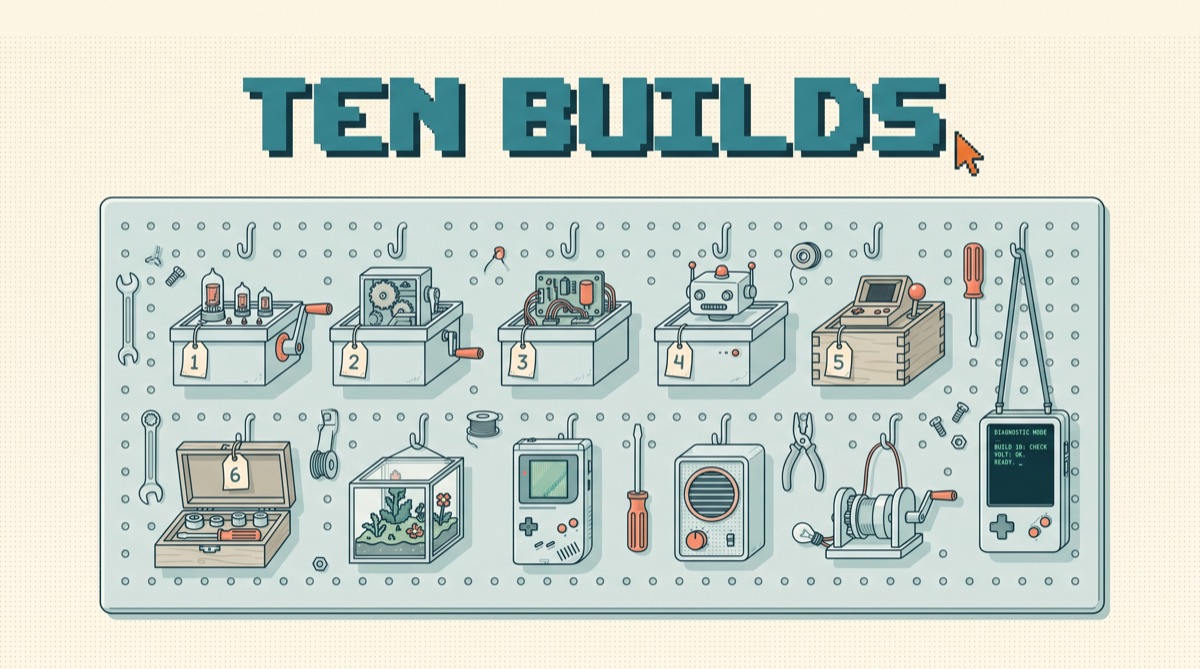
Artificial intelligence projects fail on scope far more often than on skill. The ones that finish in a weekend share the same shape: one input source, one transform, one output surface, and one human gate. Below are ten projects that fit inside 48 hours, each with the actual stack, the cost arithmetic, and the specific failure mode that kills it. Pick one. Not three.
01TL;DR
- The US Census Bureau's Business Trends and Outlook Survey put overall business AI use between 17 and 20 percent from December 14, 2025 through May 3, 2026, and 37 percent for firms with 250 or more employees. Most of the economy has not built anything yet.
- The Federal Reserve reported in April 2026 that 41 percent of the workforce uses generative AI at work while only 12 percent use it daily. The gap between trying it and depending on it is where finished projects live.
- Cost is not the barrier. At Anthropic's published rates, Claude Haiku 4.5 is $1 per million input tokens and $5 per million output, and the Batch API cuts both by half.
- The 2026 Stanford AI Index reports measured productivity gains of 14 to 15 percent in customer support and 26 percent in software development, with smaller gains on deeper reasoning tasks. Build where the evidence is.
- Every project below has a named failure mode. Read that line first. It is more useful than the description.
02The scope contract every finishable project signs
A weekend project is not a small version of a big project. It is a different animal with four fixed parts, and if any one of them is undefined on Friday night you will still be arguing with yourself on Sunday.
The input has to be a place, not a category. Not "customer emails" but "the label support in this one mailbox." The transform has to be a single pass, not a plan. The output has to land somewhere a human already looks. And the gate decides what the system is allowed to do on its own, which for a first build should be almost nothing.
03Five projects that pay for themselves in week one
1. Inbox triage that drafts but never sends. Read new mail in one label, classify it into four buckets, write a reply draft for the two buckets that need one. Stack: the Gmail API, one model call with a JSON schema, a cron job every fifteen minutes. Failure mode: someone wires the send endpoint on day two. Keep the draft gate permanently, not temporarily.
2. PDF folder to spreadsheet. Point it at a folder of invoices, statements, or lab results and get a table with a confidence column. Stack: file upload plus structured output, written to a Google Sheet. Failure mode: silent field drift, where one vendor's layout quietly maps the tax line into the total column. Fix by making the model return the source snippet next to every extracted number. I wrote the full pattern in extracting data from PDFs with AI.
3. Meeting notes to task list. Transcript in, structured tasks out, written to whatever tracker you already use. Failure mode: invented action items. Require a verbatim quote from the transcript on every task, and drop any task that cannot produce one.
4. The weekly metrics narrator. A scheduled job runs three saved SQL queries, hands the numbers to a model, and gets back four paragraphs of plain English in your Monday channel. Failure mode: letting the model do arithmetic. SQL computes every number. The model only writes sentences about numbers it was handed. The wiring for this is in connecting AI to your database.
5. The support macro drafter. Retrieve the five most similar resolved tickets, draft a reply grounded in them, leave it for an agent to send. Failure mode: retrieval over a stale knowledge base, which produces confident answers about a product you shipped last year.
04Five projects that teach you the hard parts
6. An eval harness for one prompt you already use. Twenty real inputs, twenty accepted outputs, a script that scores each run. This is the least glamorous project on the list and the one that changes how you build everything after it. Start with manual grading, then automate it using the approach in LLM as a judge.
7. A single-purpose MCP server. One tool, over one internal system, that your assistant can call. Not a platform. One function that looks up an order by number. Failure mode: over-broad tool descriptions that the model calls at the wrong time. Start from what an MCP server actually is, and if you want the three I keep installed, they are in the MCP big three.
8. Document Q&A over one corpus you own. Your own notes, one client's contracts, one product manual. Failure mode: chunking. Splitting on a fixed character count destroys tables and headings, and no amount of prompt work recovers what the splitter threw away. The rules are in how to chunk documents for RAG.
9. A browser agent that does one repetitive lookup. Check twelve supplier portals for a price, write the results to a sheet. Failure mode: brittleness. The agent breaks on a cookie banner and reports success anyway, which is why every browser run needs an assertion that the page it landed on is the page it expected. Details in AI browser automation.
10. A scheduled research brief with citations. Every morning, search a fixed list of queries, fetch the top results, and produce eight bullets with a link on each. Failure mode: unverifiable claims. Require a URL on every bullet and drop bullets without one. Anthropic prices web search at ten dollars per thousand searches on top of tokens, so ten searches a day is about three dollars a month.
05The cost arithmetic almost nobody runs first
Run the numbers before the build, not after. It takes two minutes and it settles the model choice.
Take the triage project at 200 emails a day. Each call sends roughly 1,200 input tokens and returns about 200 output tokens. That is 240,000 input tokens and 40,000 output tokens daily. At Haiku 4.5 rates that is $0.24 plus $0.20, so 44 cents a day and about $13 a month. Move the same job to Sonnet 5 at $2 and $10 per million and it becomes $0.48 plus $0.40, roughly $26 a month. Opus 5 at $5 and $25 lands near $66.
Anthropic's own worked example makes the shape clear: processing 10,000 support conversations at about 3,700 tokens each on Haiku 4.5 costs roughly $37. Batch anything that can wait an hour and both sides drop 50 percent. Cache the standing part of your prompt and cache hits cost a tenth of base input.
The pattern that saves the most money is routing rather than downgrading: classify with the cheap model, escalate the ambiguous cases to the expensive one. More of those levers are in reducing AI API costs.
06The five failure modes that kill weekend projects
No output surface. If the result lands somewhere nobody opens, the project is dead by Wednesday regardless of quality.
No test set. Twenty saved cases turn prompt editing into engineering. Without them you are tuning by feel, and you cannot tell an improvement from a regression.
Scope creep at hour six. The moment you add "and it should also handle attachments," you have started a second project. Write it on a list. Do not build it.
Unattended write access. The MIT Project NANDA study of enterprise generative AI found the failure was organizational rather than technical, and the same holds at small scale: the systems that survive are the ones that propose while a human disposes. Draft, label, queue, suggest. Not send, delete, pay.
No canary. Model behavior drifts, an API changes, an upstream format shifts. One known input with one known correct output, run on a schedule, tells you the day it breaks instead of the month. That is the whole idea behind the canary method.
07A 48-hour plan that actually fits
Friday night, two hours: write the four scope lines from the contract above, and collect twenty real inputs into a file. No code.
Saturday morning, three hours: write the naive version. One file, no framework, no abstraction, hardcoded paths. Run it against all twenty inputs and count the passes.
Saturday afternoon, two hours: fix only the failures you saw. Resist refactoring. Get to sixteen of twenty.
Sunday morning, two hours: add the gate, add logging, and schedule it. Sunday afternoon, one hour: run the canary and write down the one thing you would build next. That is nine working hours. Most projects that die needed six of them and got twenty spread across four months.
If you want a starting environment rather than a starting idea, the tools I actually run daily are listed in the AI daily driver stack, and the loop-shaped version of all of this is in how to build an AI agent.
08The bottom line
Artificial intelligence projects do not get finished by picking a better idea. They get finished by shrinking one idea until it has a named input, a named output, a named gate, and twenty test cases. Adoption data says most organizations are still on the trying-it side of the line, which means a working internal tool is worth more right now than it will be in two years. Ten projects are on this page. Nine hours is the budget. The only wrong move is starting two.
Build one of these this weekend, then tell me which failure mode you hit. I write up the patterns that survive contact with real work in the newsletter, so join it here, and if you want the drift-detection habit that keeps a finished project working, take the canary method with you.
Frequently asked
What are good artificial intelligence projects for beginners?
The best beginner projects have one input, one transform, one output, and one human gate. An inbox triage classifier that labels mail and writes drafts without sending is the cleanest starting point, because the gate is built into the shape of the task. A close second is a PDF extractor that turns a folder of invoices or statements into a spreadsheet with a confidence column. Both take a weekend, both produce something you use on Monday, and both teach structured output, which is the single skill that separates a demo from a tool. Skip the chatbot. A chatbot has no defined input, no defined output, and no way to tell whether it worked, which means you will never know when you are done.
How much does it cost to run a small AI project?
Less than most people assume, and the arithmetic is worth doing before you build. Anthropic's published pricing puts Claude Haiku 4.5 at one dollar per million input tokens and five dollars per million output tokens. A triage job that reads 200 emails a day at roughly 1,200 input tokens and 200 output tokens each costs about 24 cents of input and 20 cents of output per day, so around thirteen dollars a month. The Batch API halves both sides for anything that does not need an instant answer, and prompt cache hits cost a tenth of the base input price. The model bill is almost never what kills a small project. Your time is.
Why do most AI projects fail?
Because they never enter a real workflow. MIT's Project NANDA study of enterprise generative AI found that the overwhelming majority of pilots produced no measurable profit-and-loss impact, and the cause it identified was organizational rather than technical: tools that never made it into the process they were bought to change. The pattern repeats at hobby scale. A weekend project dies when it has no defined owner, no fixed input source, and no place to put its output. If the answer to where does this write its result is a chat window you have to open on purpose, the project is already over. Pick an output surface that someone already checks daily.
What stack should I use for a weekend AI project?
Boring and small. One model API, one scheduler, one storage layer, one output surface. In practice that means a single Python or TypeScript file, a cron job or GitHub Action, SQLite or a Google Sheet, and whatever inbox or channel the result belongs in. Add a vector database only when you have proven that keyword search over your corpus is not good enough, which for a few hundred documents it usually is. Add a framework only after you have written the loop by hand once and felt what it does. Every layer you add on Friday night is a layer you debug on Sunday afternoon instead of shipping.
How do I know if my AI project actually works?
Write twenty test cases before you write the prompt. Take twenty real examples of the input, write down the output you would accept for each, and save them as a file. Now every prompt change is a measurable change instead of a vibe. Run the set after each edit and count how many pass. This takes about forty minutes and it is the difference between a project you can improve and one you keep poking at. Once the set exists you can grade it automatically with a second model as a judge, but do the manual pass first, because writing the twenty cases is what forces you to define what correct means.