How to Extract Data From PDFs With AI (Fields, Citations, and a Review Gate)
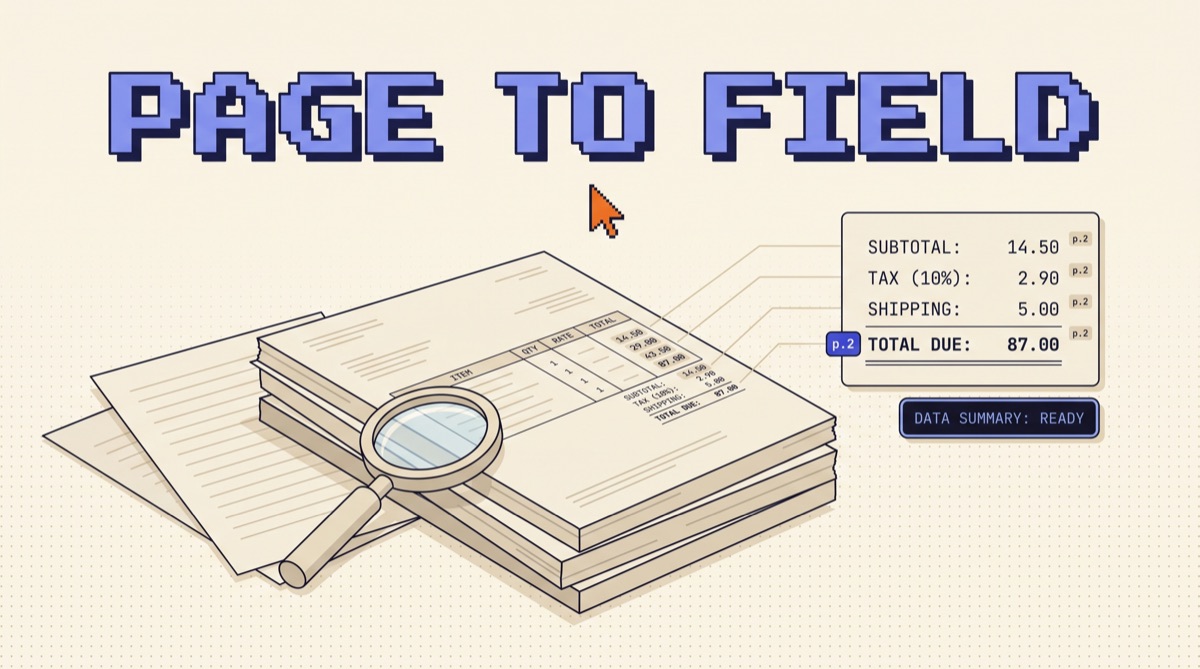
To extract data from PDFs with AI, run a five stage pipeline: pull the embedded text layer first and only fall back to a vision model when it fails, lock the output to a JSON schema the API enforces, make every field cite the page it came from, gate low confidence fields into a human queue, and measure per-field accuracy on about 100 labeled documents before anything posts automatically. The order is the whole trick. Skip to prompting a vision model and you pay several times the tokens with no way to audit a wrong number.
TL;DR
- Text layer first, vision second. Most business PDFs already contain their text. Rendering those pages as images costs several times more tokens for information that was sitting in the file.
- The schema is the contract. Enforce it with structured outputs or a strict tool definition (
strict: trueplusadditionalProperties: false), not with a polite instruction in the prompt. - Per-field accuracy compounds badly. 98 percent per field across 12 fields means only 78 percent of documents are fully correct. One in five carries a silent error.
- Citations are the audit trail. Claude returns cited PDF text with a
page_locationcarrying 1-indexedstart_page_numberandend_page_number. That is what makes a disputed number checkable in seconds. - The cost is about 2.2 cents per six page document on Claude Sonnet 5 via the text layer, roughly 0.7 cents on Claude Haiku 4.5, and half either number through the Batch API.
The five stages, in order
Document extraction fails in a predictable way. Someone builds a demo that reads one invoice perfectly, ships it, and discovers three weeks later that the pipeline has been quietly writing wrong totals into a ledger. Nothing crashed. The model returned confident, well formed JSON every time. What was missing was a gate. The pipeline below exists to put one in the middle.
Stage 1: Take the text layer before you take a picture
Open any PDF that came out of accounting software, a CRM, a bank, or a word processor and the text is already in the file as characters. A local extraction with pdftotext, pdfplumber, or pypdf returns it in milliseconds for zero API cost. Scanned paper, phone photos saved as PDFs, and faxes are the exception, not the rule.
So the router is simple. Extract the text layer. If a page returns fewer than roughly 50 characters, or the characters are mostly punctuation noise, mark that page for the vision path and render it as an image. Everything else goes through as text.
The reason to care is token arithmetic. A dense letter page holds around 800 tokens of text. That same page rendered as an image lands in the 1,500 to 2,000 token range depending on resolution, and you can check the exact number for your render settings with the token counting endpoint (/v1/messages/count_tokens) rather than guessing. Across 10,000 documents the difference between routing 5 percent of pages to vision and routing 100 percent of them is the difference between a rounding error and a line item.
This mixed approach is what most production pipelines converged on. Character recognition, from the embedded text layer or a dedicated OCR engine, is cheap and excellent at pixels to characters. A language model decides which of the nine numbers on the page is the total. Use each for the job it wins at.
Stage 2: The schema is the contract, not the prompt
"Return JSON with the invoice number, date, and total" is not a contract. It is a suggestion the model follows most of the time, which is worse than a suggestion it never follows, because the failures are rare enough to reach production.
Enforce the shape at the API layer instead. On the Claude API that means either structured outputs (output_config.format) or a strict tool definition, where you set strict: true on the tool alongside name, description, and input_schema, and the schema itself carries additionalProperties: false plus an explicit required list. With strict mode on, the tool input is guaranteed to validate against your schema. The model can be wrong about a value. It cannot be wrong about the shape.
Three rules make the schema itself do work:
- Every field is nullable, and null is a legitimate answer. A purchase order number that is genuinely absent should come back as
null, not as a plausible invented string. Say so in the field description. - One field, one sentence of definition.
total_amountbecomes "the final amount payable including tax and after any discount, as a decimal string." Ambiguity in the field name is the single largest source of disagreement between the model and the person reviewing it. - Add an enum wherever the value set is closed. Currency codes, document types, and payment terms all have finite vocabularies. An enum turns a class of hallucination into a validation error you can catch.
The same discipline that makes agent tools reliable applies here. If you want the longer version of that argument, WRITE LOOPS NOT PROMPTS covers why the structure around the model beats the wording inside it.
Stage 3: Make every number cite its page
Extraction without provenance is a number with no way to check it. Six weeks later a vendor disputes a total, and the only thing your system can say is that a model produced 4,812.00 from a 14 page PDF.
Claude's citations feature closes that gap. Set citations: {enabled: true} on each document content block, all of them or none, and the response splits into text blocks where cited blocks carry a citations array. For a PDF, each citation includes a page_location with start_page_number and end_page_number, one indexed. Now the total is not just 4,812.00. It is 4,812.00, from page 3, alongside the exact source text the model read.
One practical catch: citations are incompatible with the structured output format parameter and returning both is a 400. If you want a locked schema and page provenance at the same time, get the provenance through the schema instead. Give every field an object shape of {value, page, source_text} in a strict tool definition, and require page. The model has to name a page for each value, which is both an audit trail and a quiet accuracy improvement, because a field it cannot locate is a field it is more likely to be inventing.
Stage 4: Gate per field, because accuracy compounds
Here is the number that reframes the whole project. Suppose each field is correct 98 percent of the time, which is a genuinely good extractor. Pull 12 fields off an invoice and the odds that the entire document is correct are 0.98 to the twelfth power, or about 78 percent. Twenty two documents in every hundred carry at least one wrong value, and none of them look wrong.
The fix is not a better model. It is a gate that operates on fields rather than documents, built from three signals you already have:
- Schema and business rules. Line items that do not sum to the subtotal, a date outside a plausible window, a currency code that is not in your enum, a total that exceeds the largest invoice you have ever received. These are deterministic checks and they catch a surprising share of errors for free.
- Cross reads. Run the extraction twice at different temperatures or on two model tiers and compare. Fields that disagree are your review queue, and they cost one extra cheap call.
- Missing provenance. Any field where the model could not name a page is suspect by construction.
Set the bar per field type, not globally. A vendor name that is slightly off is a nuisance; a payment amount that is slightly off is a wire transfer to the wrong number. Public benchmarks make the same point in academic form: OmniDocBench, the CVPR 2025 document parsing benchmark, scores tables with a structural similarity metric rather than pass or fail, precisely because full page parses are partially right in ways a binary check hides.
For the finance side of this, where the review queue and the approval thresholds matter more than the model, CLAUDE FINANCE AGENTS covers the agents Anthropic ships for exactly that territory.
Stage 5: The cost math, so nobody guesses
Run the arithmetic before the pilot, because the number is usually smaller than people assume and the surprise cuts both ways.
Take a six page invoice through the text path. Roughly 800 tokens per page is 4,800 tokens, plus about 600 tokens of schema and instructions, so call it 5,400 input tokens. A structured response with 12 cited fields runs about 400 output tokens.
- Claude Sonnet 5 at 3 dollars per million input and 15 per million output: 1.6 cents in, 0.6 cents out, about 2.2 cents per document. Ten thousand a month is roughly 220 dollars.
- Claude Haiku 4.5 at 1 and 5 dollars per million: about 0.7 cents per document, or 74 dollars for the same volume.
- The Batch API halves both sides for anything that can wait, which most document backlogs can.
- Prompt caching pays off when the schema and instructions are stable: put them first in the request, put the document last, and cache reads cost a fraction of the base input rate. The minimum cacheable prefix is around 1,024 tokens, so a small schema will silently fail to cache.
For comparison, published industry benchmarks put fully manual invoice processing somewhere in the 10 to 22 dollar range per invoice, and those figures come from automation vendors, so treat them as directional. Even discounted heavily, the model call is not the expensive part of this system. Review time is. That is the number to optimize, and it is exactly what stage 4 controls.
What actually breaks
Five failure modes account for most of the pain, and none of them are fixed by prompt wording.
Tables that span pages. A header on page 2 and rows continuing on page 3 will produce orphaned rows. Extract tables as their own pass with explicit page ranges rather than asking for everything in one call.
Multi-column layouts. Reading order is where naive text extraction quietly scrambles a contract. If the text layer returns interleaved columns, that page is a vision fallback candidate even though it technically had text.
Checkboxes and handwriting. Both need vision, and both deserve a lower confidence bar and a mandatory human check on anything consequential.
Rotated and skewed scans. Deskew before you send. It is a two line fix in most image libraries and it moves accuracy more than any prompt change.
Documents that exceed the limits. A Claude API request carries up to 32 MB and 600 pages, dropping to 100 pages on 200K context models. Split long documents by section, and if the same file gets queried repeatedly, upload it once through the Files API and reference it by file_id instead of re-encoding it every call.
If you want the working versions of these patterns as they land, the OpusJake newsletter is where I write them up each week.
The bottom line
Extracting data from PDFs with AI is a solved problem at the field level and an unsolved one at the document level, and the gap between those two is where every failed pilot lives. Take the text layer first so you are not paying image prices for characters that were already in the file. Let the API enforce the schema so shape is never in question. Require a page number with every value so a disputed number takes ten seconds to check instead of an afternoon. Then put a per-field gate in front of anything that writes to a system of record, and accept that 15 to 20 percent of your volume should be seen by a person until the labeled accuracy on your own documents says otherwise.
Build the gate first. The extractor is the easy half.
How do you extract data from PDFs with AI?
Run five stages in order. First, pull the embedded text layer with a cheap library and only fall back to sending page images to a vision model when that layer comes back empty or garbled. Second, define the output as a JSON schema and enforce it at the API layer with structured outputs or a strict tool definition, so the model cannot invent a field name or return prose. Third, turn on document citations so every extracted value carries the page it came from. Fourth, score each field and route low confidence documents to a human queue instead of accepting the whole document or rejecting it. Fifth, measure per-field accuracy against a labeled set of about 100 real documents before you let anything post automatically. The order matters: teams that skip straight to prompting a vision model pay five times more per page and have no way to audit a wrong number.
Is AI better than OCR for extracting data from PDFs?
They solve different halves of the problem, and production pipelines in 2026 use both. Traditional OCR is a character recognition engine: on a clean, high resolution scan it is fast, cheap, and extremely good at turning pixels into text. What it cannot do is decide which of the nine numbers on an invoice is the total, or read a table whose header appears on page 2 and whose rows continue on page 3. That semantic layer is where a language model wins. The efficient shape is OCR or a native text extraction first, then a model for field identification, with a vision model as the fallback for pages where the text comes back empty or scrambled. Sending every page as an image to a vision model works, but you pay several times the tokens for pages whose text was already sitting in the file.
How accurate is AI PDF data extraction?
Accurate enough per field to be useful, and not accurate enough per document to skip review. Do the compounding math before you promise anyone a number. If each field is right 98 percent of the time and you extract 12 fields, the chance that an entire document is correct is 0.98 to the 12th power, or about 78 percent. One document in five carries at least one wrong value. That is why the useful metric is per-field accuracy on a labeled set, not a single headline accuracy figure. Public benchmarks tell the same story from another angle: OmniDocBench, the CVPR 2025 document parsing benchmark, scores tables with TEDS rather than a pass or fail, because full page parses are partially right in ways a binary check hides. Measure per field, gate per field, and let the gate decide what a person sees.
What does it cost to extract data from a PDF with Claude?
Cents, if you use the text layer. Take a six page invoice at roughly 800 tokens of text per page, plus about 600 tokens of schema and instructions, so about 5,400 input tokens, and a structured JSON response of about 400 output tokens. At Claude Sonnet 5 rates of 3 dollars per million input and 15 dollars per million output, that is 1.6 cents of input and 0.6 cents of output, so roughly 2.2 cents per document. Ten thousand documents a month costs about 220 dollars. The Batch API halves both sides for anything that can wait a few hours, taking it to about 110 dollars, and Claude Haiku 4.5 at 1 and 5 dollars per million runs the same job for about 0.7 cents. Rendering every page as an image instead pushes token counts several times higher for pages that had a perfectly good text layer.
What are the limits when sending a PDF to the Claude API?
A request carries up to 32 MB and 600 pages, and the 600 page ceiling drops to 100 pages on 200K context models. Base64 encoded document data must contain no newlines, and the document content block goes before the text block in the user message. If the same file gets queried more than once, upload it through the Files API and reference it by file_id instead of re-encoding it on every call. Citations are enabled per document block with citations set to true, and they must be on for all documents in a request or none. Cited PDF text comes back with a page_location carrying start_page_number and end_page_number, one indexed. Citations are incompatible with the structured output format parameter, so if you want both a locked schema and page provenance, get provenance through a strict tool definition that includes a page field rather than through output_config.
OpusJake is Jake Schincariol's operating system for building with AI: agents, workflows, prompts, and the free resources behind them. Get the next move every week.