How to Build an AI Agent That Ships Real Work
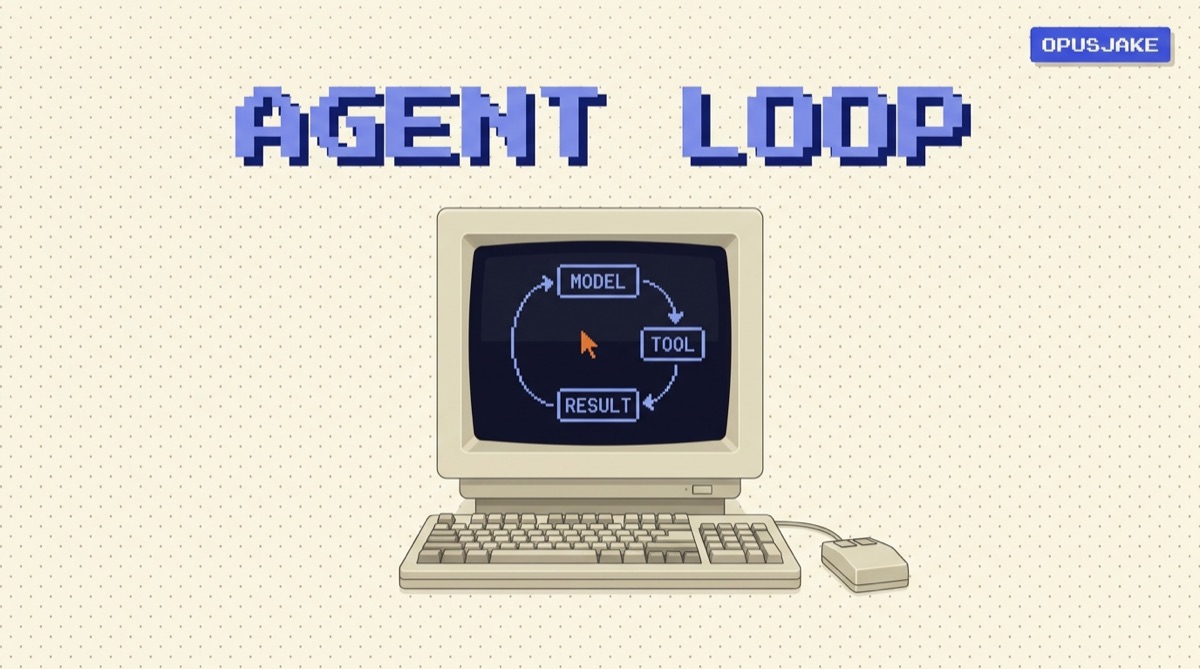
An AI agent is a program that takes a goal and then loops: it asks a model what to do next, runs a tool, feeds the result back, and repeats until the job is done. To build one that ships real work instead of demos, you need four parts and a tight feedback loop. Here is the whole thing, minus the hype.
TL;DR
- An agent is a model plus tools plus a loop plus context. Everything else is plumbing.
- Start with one job, one or two tools, and a hard stop condition. Scope kills more agent projects than capability does.
- Give the agent a way to check its own work, or it will confidently ship garbage.
- You usually do not need a framework. A while-loop and clear instructions get you most of the way.
- Measure on task completion, not vibes. If you cannot tell when it failed, you cannot make it better.
What an agent actually is
A chatbot answers a question and stops. An agent is handed a goal and keeps working until it reaches it. The shift is small to describe and large in practice: instead of one model call, you run the model in a loop and let it take actions in the world between calls.
That loop is the entire idea. The model looks at the goal and the history so far, decides the single next step, and either calls a tool or declares the job finished. Your code runs the tool, captures the result, and hands it back to the model on the next turn. Repeat. The agent is not magic. It is a while loop with a very capable decision-maker inside it.
The four parts of every agent
Every agent, from a 40-line script to a production system, is built from the same four pieces.
1. The model: the decision-maker
The model is the brain that picks the next step. Your job is to give it a clear goal, the relevant context, and a list of tools it is allowed to use. The better the model at reasoning and tool use, the less scaffolding you need around it. Use a capable model here. Saving a few cents per call by using a weak model usually costs you far more in failed tasks and retries.
2. Tools: the hands
A tool is any function the agent can call to affect the world or pull in information: search the web, query a database, send an email, run code, read a file. Each tool needs a name, a plain description of what it does and when to use it, and a defined set of inputs. The model reads those descriptions to decide which tool fits. Vague descriptions produce wrong tool calls, so write them like you are briefing a new hire who is sharp but has no context.
3. The loop: the engine
The loop is the code you own. In pseudocode it is almost embarrassingly simple:
while not done and steps < limit:
    decision = model(goal, history, tools)
    if decision.is_final:
        done = True
    else:
        result = run_tool(decision.tool, decision.args)
        history.append(result)
    steps += 1
Most of the engineering effort goes into the two guards on that first line: a real done condition and a hard limit. Skip them and you have built a token-burning machine, not an agent.
4. Context: the memory
Context is what the model can see on each turn: the goal, the instructions, the tool results so far, and any reference material. Models have a fixed context window, so on long tasks you cannot just keep appending everything. You summarize, you keep the last few steps in full, and you store the rest somewhere the agent can retrieve on demand. Managing context well is the difference between an agent that stays coherent over twenty steps and one that loses the plot by step five.
A concrete build, step by step
Here is the order I build in. It front-loads the decisions that actually matter.
- Name one job. Not "an assistant for my business." One job: "draft a reply to a support email and tag it." A narrow agent that finishes beats a broad one that wanders. You can always add a second job later.
- Define the tools that job needs, and nothing more. For the support example: a tool to read the email thread, a tool to search past tickets, a tool to save a draft. Three tools, each with a sharp description.
- Write the loop with both guards in place. Success condition and step limit before you run it even once. For the support agent, "done" means a draft is saved and a tag is set.
- Add a self-check. This is the step most people skip. Have the agent verify its own output before it declares victory: run the tests, validate against a schema, or make a second pass with the instruction "find what is wrong with this draft." An agent that grades its own work is dramatically more reliable than one that does not.
- Log every step. Record each decision, tool call, and result. When the agent fails, and it will, the log is the only way to see where it went off the rails. If you cannot replay a failure, you cannot fix it.
That sequence works whether you write it by hand or assemble it in a no-code builder. The tools change; the four parts and the guards do not. If you want the underlying tools that earn their place in a real build, the AI Daily Driver Stack is the short list I actually use.
Where agents go wrong, and how to catch it
Four failure modes cause most of the pain:
- Runaway loops. The agent cannot finish and keeps trying. Caught by the step limit. Always set one.
- Hallucinated tool calls. The agent invents a tool that does not exist or passes garbage arguments. Caught by validating every tool call before you run it and returning a clear error the model can recover from.
- Confident wrong answers. The agent finishes and ships something broken. Caught by the self-check step. No verification, no trust.
- Scope creep. The agent does three jobs badly instead of one well. Caught at design time by refusing to add a tool until the agent provably needs it.
Notice that three of the four are caught by guardrails you add on purpose, not by a smarter model. Capability is rarely the bottleneck. Discipline is.
When not to build an agent
The fastest agent is the one you do not build. If a single, well-written prompt does the job, use a prompt. If a plain script with no model in the loop does it, write the script. Agents earn their complexity only when the task genuinely requires deciding the next step based on the last result, over and over, in a way you cannot script ahead of time. A good operator reaches for the simplest tool that works. If you want prompts that punch above their weight before you commit to an agent, start with Secret Codes Vol. 1.
The bottom line
Building an AI agent is not about a framework or a magic prompt. It is four parts, a loop, and the discipline to scope the job, guard the loop, and verify the output. Get those right and a 40-line agent will outperform a 4,000-line one that skipped them. Start narrow, measure on task completion, and add complexity only when the work demands it.
If you want the practical AI moves worth making each week, join the OpusJake newsletter. And when you are ready to wire AI into real systems, that is exactly what I do at opusjake.ai.
Do I need a framework like LangChain to build an AI agent?
No. A framework can save boilerplate, but every agent is just a model, some tools, a loop, and a way to manage context. You can build a working agent in a single file with a while-loop and the model provider's SDK. Reach for a framework once you have a real reason, like managing many agents or complex state, not before.
What is the difference between an AI agent and a chatbot?
A chatbot answers. An agent acts. A chatbot turns your message into a reply and stops. An agent takes a goal, then loops: it decides a next step, calls a tool, reads the result, and repeats until the goal is met or it hits a stop condition. The loop and the tools are the difference.
How many tools should an AI agent have?
Start with one or two. Each tool you add is another thing the model can pick wrong, so more tools usually means worse decisions, not better ones. Add a tool only when the agent demonstrably needs it to finish the job, and give each one a clear name and description.
Can non-developers build an AI agent?
Yes, for many jobs. No-code and low-code agent builders handle the loop and tool wiring for you, so you focus on the goal, the instructions, and the guardrails. You will hit a ceiling on anything custom or high-stakes, but a surprising amount of real work fits inside those tools.
How do I stop an agent from looping forever?
Set a hard step limit and a clear success condition before you run it. Cap the number of model calls per task, define exactly what 'done' looks like, and exit the moment it is met. Without a stop condition, an agent that cannot finish will keep spending tokens until you kill it.
OpusJake is Jake Schincariol's operating system for building with AI: agents, workflows, prompts, and the free resources behind them. Get the next move every week.