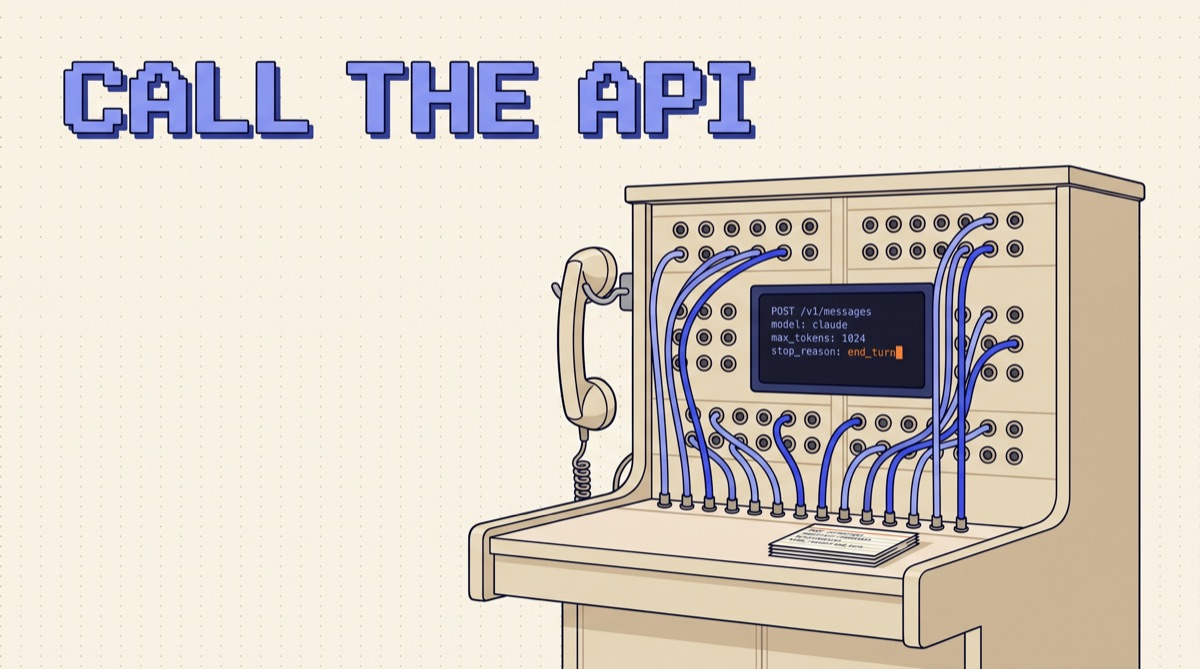
To use the Claude API, get an API key from the Anthropic Console, install the official SDK, and send a request to the Messages endpoint with three things: a model ID, a max_tokens limit, and a list of messages. Claude replies with content blocks and a stop_reason. Everything else (system prompts, tools, streaming, caching, batches) is a parameter on that same call.
That's the whole mental model. The Claude API is one endpoint with a small number of knobs, and most production bugs I see come from misreading one of them. This guide walks from first request to a setup you'd actually ship, in the order you'll need each piece.
If you're still choosing between providers, how to choose an AI model covers that. This post assumes you've picked Claude and want to wire it up properly.
01TL;DR
- One endpoint does almost everything.
POST /v1/messageswithmodel,max_tokens, andmessages. The API is stateless, so you resend the conversation every turn. - Read
stop_reasonon every response.end_turn,max_tokens, andtool_useeach need different handling. Ignoring it is the number one source of silent truncation. - Put instructions in
system, not the first user message. It's cleaner, and it's the part you'll cache. - Tools are a loop you run. Claude asks, your code executes, you return a
tool_result, repeat. - Cache and batch before you optimize anything else. Prompt caching and the Batches API are the two biggest cost levers, and both are a few lines of code.
02Step 1: Get a key and send your first request
Sign up at the Anthropic Console, add billing, and create an API key. Set it as an environment variable, never in source:
export ANTHROPIC_API_KEY="sk-ant-..."
pip install anthropic        # or: npm install @anthropic-ai/sdk
Then the smallest useful call, in Python:
import anthropic

client = anthropic.Anthropic()  # reads ANTHROPIC_API_KEY

msg = client.messages.create( model="claude-sonnet-5-5", max_tokens=1024, messages=[{"role": "user", "content": "Write a one-line commit message for: fixed null check in parser"}],
)

print(msg.content[0].text) print(msg.stop_reason, msg.usage.input_tokens, msg.usage.output_tokens)
Three things to notice. max_tokens is required and caps the output, not the input. The reply is a list in msg.content, not a string, because a single response can mix text and tool calls. And msg.usage gives you exact token counts per call, which is the number your bill is built from. Log it from day one.
The raw HTTP version is the same shape: a POST with headers x-api-key, anthropic-version, and content-type: application/json. The SDKs add retries with backoff for rate limits and server errors, so use them unless you have a reason not to.
03Step 2: Understand the request and response shape
The Messages API is stateless. There is no session on Anthropic's side. Each request carries the full conversation, alternating user and assistant turns, and the model answers the last user turn.
The stop_reason field is the one to build around:
end_turn: Claude finished. Use the text.max_tokens: Claude hit your cap mid-answer. The output is truncated. Raise the cap, or ask for a shorter format. Never pass truncated JSON downstream.tool_use: Claude wants to call a function you defined. Run it and continue (Step 4).stop_sequence: it hit a custom stop string you set.
A five-line match on stop_reason prevents most of the "the model returned half an answer and nobody noticed" incidents.
04Step 3: Use the system prompt for rules, not the first message
Put role, rules, and reference material in the top-level system parameter. Keep messages for the actual conversation.
msg = client.messages.create( model="claude-sonnet-5-5", max_tokens=800, system="You write release notes for a B2B invoicing app. Plain English, past tense, max 5 bullets. Never mention internal ticket IDs.", messages=[{"role": "user", "content": changelog_text}],
)
Two reasons this matters. First, the model treats system content as standing instructions, so rules hold across a long conversation better than if they were buried in turn one. Second, the system prompt is usually the biggest static chunk of every request, which makes it the obvious thing to cache. I covered how to structure one in how to write a system prompt.
Want structured data back? Describe the exact JSON shape in the system prompt and validate it on your side, or define a tool whose input schema is the shape you want and force Claude to call it. The second approach is more reliable for production extraction.
05Step 4: Add tools and run the loop
Tool use is how Claude touches your systems: look up an order, query a database, send a draft. You describe each tool with a name, a description, and a JSON Schema. Claude decides when to call one. Your code does the actual work.
tools = [{
    "name": "get_order",
    "description": "Fetch an order by ID. Use when the user asks about a specific order's status, items, or total.",
    "input_schema": {
        "type": "object",
        "properties": {"order_id": {"type": "string"}},
        "required": ["order_id"],
    },
}]

messages = [{"role": "user", "content": "Where is order 8812?"}]

while True:
    resp = client.messages.create(model="claude-sonnet-5-5", max_tokens=1024, tools=tools, messages=messages) messages.append({"role": "assistant", "content": resp.content}) if resp.stop_reason != "tool_use":
        break results = [] for block in resp.content:
        if block.type == "tool_use":
            out = run_tool(block.name, block.input)   # your code results.append({"type": "tool_result", "tool_use_id": block.id, "content": out}) messages.append({"role": "user", "content": results})
Rules I follow on every tool loop:
- Append the assistant turn exactly as returned, including the
tool_useblocks. Thetool_resultmust reference the matchingtool_use_id. - Cap the loop. Ten to twenty iterations, then stop and surface an error. An uncapped loop is how a bug becomes a bill.
- Return errors as results, not exceptions. "Order 8812 not found" lets Claude recover. A crash ends the run.
- Write descriptions like docs for a new hire. Claude picks tools from the description, so say when to use it and when not to. More in how to design tools for AI agents.
If you'd rather connect Claude to existing services without writing the glue yourself, the MCP Big Three resource lists the servers worth installing first.
06Step 5: Stream long responses
For anything a user watches, stream. The first token arrives in well under a second instead of the user staring at a spinner while the full answer generates.
with client.messages.stream(model="claude-sonnet-5-5", max_tokens=2000, messages=messages) as stream:
    for text in stream.text_stream:
        print(text, end="", flush=True) final = stream.get_final_message()   # full message, stop_reason, usage
Streaming doesn't change the cost or the content. It changes perceived latency. For background jobs nobody watches, skip it and keep the code simpler. The details of server-sent events and how to forward them to a browser are in how to stream LLM responses.
07Step 6: Cut the bill with caching and batches
Once it works, two features do most of the cost work.
Prompt caching. Mark the end of a stable prefix (system prompt, tool definitions, a long reference document) with cache_control. Later requests that start with the identical prefix read it from cache at a fraction of the normal input price and with lower latency.
system=[{
    "type": "text",
    "text": LONG_POLICY_DOC,
    "cache_control": {"type": "ephemeral"},
}]
The catch: the cached part must be byte-for-byte identical and come first. Put a timestamp or user name at the top of your system prompt and you'll never get a cache hit. Static content first, variable content last. Check usage for cache read tokens to confirm it's working. Full mechanics in what is prompt caching.
Message Batches. For work that can wait (tagging 20,000 support tickets overnight, re-summarizing a document archive), submit requests to the Batches API instead of calling them one by one. Results come back asynchronously, usually within hours, at a significant discount versus standard calls, and batch jobs don't eat your real-time rate limits.
A realistic order of operations: ship with no optimization, log usage for a week, cache whatever prefix repeats, move anything non-interactive to batches, then decide if a cheaper model tier passes your evals. That sequence usually cuts the bill far more than prompt golf does.
08Step 7: Make it production-safe
The gap between a demo and a production integration is mostly boring plumbing:
- Pin model IDs in config, not scattered through code, so a model upgrade is one change plus an eval run.
- Handle 429 and 529 responses with exponential backoff and jitter. The SDKs retry a few times by default; add a queue if you're doing volume. See how to handle LLM rate limits.
- Set timeouts. Long outputs take time. Pick a timeout that fits your
max_tokens, or stream. - Log every call: model, input tokens, output tokens, cache reads, latency, stop reason. That table answers 90 percent of "why is this slow or expensive" questions.
- Keep keys server-side. Never ship an API key in a mobile app or browser bundle. Proxy through your backend.
- Run an eval set before changing anything: prompt, model, or temperature. Twenty real cases with a clear pass rule is enough to start.
09The bottom line
Using the Claude API comes down to one endpoint and a handful of habits. Send model, max_tokens, and the full message history. Branch on stop_reason. Put rules in system. Run tools as a capped loop. Stream what users watch, cache what repeats, and batch what can wait. Get those right and the API is the least interesting part of your product, which is exactly where it should be.
If you want the builds I'm running on top of this each week, with the actual prompts and configs, join the newsletter.
Frequently asked
How do I use the Claude API?
Create an account in the Anthropic Console, generate an API key, and store it as the ANTHROPIC_API_KEY environment variable. Install the official SDK (pip install anthropic or npm install @anthropic-ai/sdk), then call the Messages endpoint with a model ID, a max_tokens limit, and a list of messages. The response comes back as a list of content blocks plus a stop_reason that tells you why the model stopped.
Is the Claude API free?
No. The Claude API is billed per token, with separate rates for input and output tokens, and the rate depends on the model tier. New accounts sometimes get a small amount of trial credit. Two features cut the bill a lot: prompt caching, which makes repeated prompt prefixes much cheaper to re-read, and the Message Batches API, which runs non-urgent jobs at a discount.
What is the difference between the Claude API and Claude.ai?
Claude.ai is the chat app with a monthly subscription. The Claude API is the developer interface you call from your own code, billed per token. A Claude.ai subscription does not include API usage, and the API has no chat history, memory, or interface. Your code sends the full conversation on every request and decides what to do with each reply.
Which Claude model should I use with the API?
Start with the mid tier (Sonnet) for most product work, since it balances quality, speed, and cost. Move a step up to Opus for hard reasoning, long agent runs, or code where mistakes are expensive. Drop to Haiku for high-volume classification, routing, and extraction. Pin the exact model ID in config and run your eval set before you switch tiers.
How do I give Claude access to my own functions through the API?
Pass a tools array where each tool has a name, a description, and a JSON Schema for its input. When Claude wants to call one, the response has stop_reason tool_use and a tool_use block with the arguments. Your code runs the function, then sends the result back in a tool_result block in the next user message. Repeat until stop_reason is end_turn.