To fine-tune an LLM, start with an eval set, not a training set. Collect a few hundred to a few thousand input and output pairs that show the exact behavior you want, train a LoRA adapter or use a hosted fine-tuning API, and hold back examples for validation. Then compare the tuned model to your best prompt on the same eval. If it doesn't win, don't ship it.
Most fine-tuning projects I see fail for one reason: the team tunes before they know what "better" means. The training run is the easy part. It's a config file and a credit card. The dataset and the scoreboard are where the work is, so that's where this guide spends its time.
If you're still deciding whether to tune at all, read RAG vs fine-tuning first. This post assumes you've decided and want to do it properly.
01TL;DR
- Fine-tuning changes behavior, not knowledge. It fixes format, tone, labels, and long prompts. It is a bad way to teach facts.
- Build the eval before the dataset. 50 to 200 held-out cases with a clear pass rule, scored against your best prompted baseline.
- 200 to 1,000 clean examples is enough for most format and classification jobs. Consistency beats volume.
- Default to LoRA or QLoRA on an open model, or a hosted fine-tuning API if you'd rather not run GPUs. Full fine-tuning is rarely worth it for builders.
- Ship only if the tuned model beats the baseline on your eval and on cost or latency. Otherwise keep the prompt.
02When fine-tuning is the right call
Fine-tuning earns its cost in four situations. Outside these, a better prompt, few-shot examples, or retrieval usually gets you there faster.
- A strict output format the model keeps breaking. You need a specific JSON shape, a house report layout, or a label set, and prompting gets you 90 percent compliance when you need 99.
- A voice or style that's hard to describe. Your support replies, your product copy, your code review comments. Showing 500 examples teaches what three paragraphs of instructions can't.
- A long prompt you pay for on every call. If your system prompt is 4,000 tokens of rules and examples, tuning those rules into the weights can cut per-request cost and latency. Check prompt caching first, since it often solves the same problem with zero training.
- Moving a task to a smaller model. A large model does the job well but costs too much at volume. You use its outputs to train a small model that runs the same narrow task for a fraction of the price. This is called distillation, and it's the most common reason I tune anything.
What fine-tuning won't do: make the model know your latest pricing, your docs, or last week's tickets. Those facts drift, and a tuned model freezes them on the day you train. Put changing facts in retrieval.
03Step 1: Build the eval before the dataset
Before you write a single training example, write the test. Pull 50 to 200 real inputs from production logs or realistic samples, and for each one define what a passing output looks like.
Pick the cheapest grader that works:
- Exact or schema match for classification and structured output. Does the label match? Does the JSON validate?
- Rule checks for format. Under 120 words, includes an order number, no apology opener.
- An LLM judge with a rubric for tone and quality, spot-checked by a human. I covered the pitfalls in LLM as a judge.
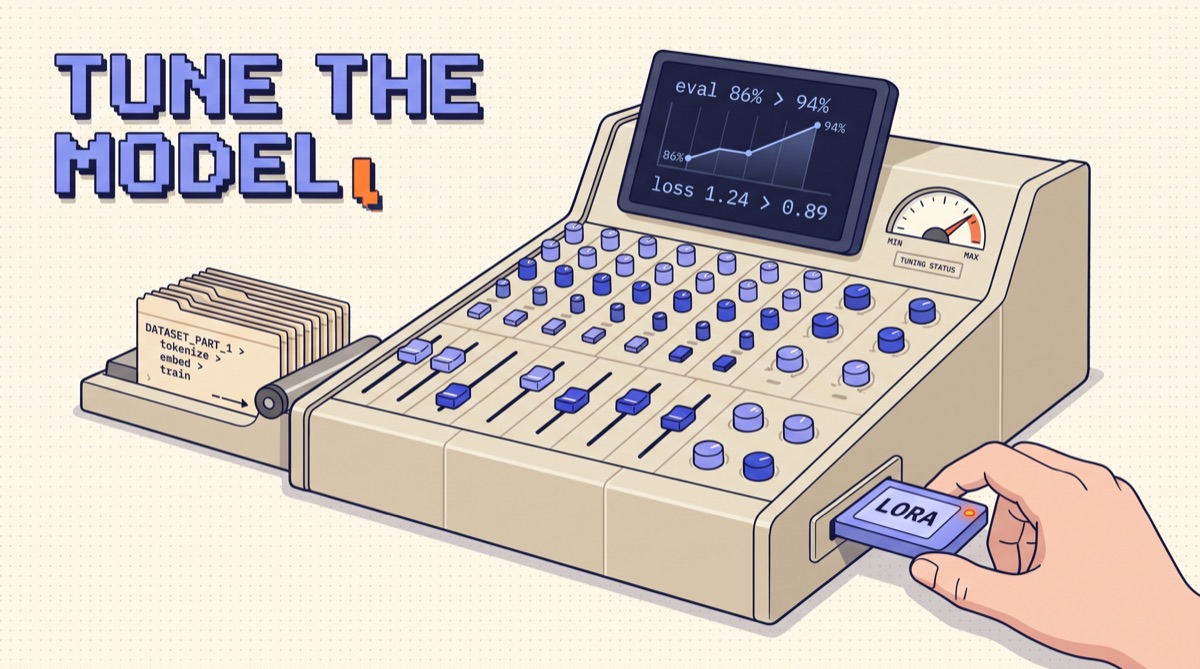
Now run your best prompted setup against it. That number is your baseline. Say your prompted model labels support tickets correctly 86 percent of the time. The tuned model has to beat 86, on the same cases, or the project is over. This one step kills about half the fine-tuning ideas I'm asked about, and that's a good outcome. It saves the week.
Keep these eval cases out of the training data. If they leak in, your score measures memory, not skill.
04Step 2: Build the training data
Training data for chat models is a list of conversations: a system message, a user message, and the assistant reply you wish the model had written. Most tools take this as JSONL, one example per line.
{"messages": [
  {"role": "system", "content": "Classify the support ticket. Reply with one label."},
  {"role": "user", "content": "I was charged twice for my November invoice."},
  {"role": "assistant", "content": "billing_duplicate_charge"}
]}
Where the examples come from, in order of quality:
- Human-written or human-corrected outputs. Your best agents' replies, your editor's rewrites, labels a person checked.
- Outputs from a stronger model, reviewed. Run the big model with your best prompt, keep only outputs that pass your eval rules, and spot-check a sample by hand.
- Synthetic inputs. Useful to cover rare cases, but generate them against real input patterns, or the model learns to handle text no user writes.
Rules that matter more than volume:
- One right answer per input. If two reviewers would label the same ticket differently, fix the label guide before you train. The model learns your disagreements.
- Match production exactly. Same system prompt, same input formatting, same length range you'll see live. A model tuned on clean text breaks on messy pasted emails.
- Cover the edges on purpose. Empty inputs, wrong language, off-topic requests, and the cases where the correct output is "I can't help with that."
- Deduplicate. Fifty near-identical examples overweight one pattern.
Split 80 to 90 percent for training and the rest for validation. Validation loss tells you when the model starts memorizing instead of learning.
05Step 3: Pick the method and where it runs
You have two decisions: how much of the model you train, and whose GPUs do it.
How much you train:
- LoRA freezes the base model and trains small adapter matrices beside it, usually well under 1 percent of the parameters. It fits on one GPU, the adapter file is megabytes instead of gigabytes, and you can load different adapters for different tasks on the same base model.
- QLoRA is LoRA on a base model loaded in 4-bit. It cuts memory again, so a 7B or 8B model tunes on a single consumer or rented GPU. Quality is close to plain LoRA for most tasks.
- Full fine-tuning updates every weight. It needs multiple large GPUs and rarely beats LoRA on the narrow tasks builders care about. Skip it unless you have a research reason.
Where it runs:
- Hosted fine-tuning APIs from the major model providers. You upload JSONL, pick a base model, and get back a model ID you call like any other. No infrastructure, and you pay per training token plus a higher per-call price for the tuned model.
- Open models you train yourself with Hugging Face TRL, Axolotl, or Unsloth on a rented GPU. More setup, but you own the weights, can run them locally or on your own server, and inference is often far cheaper at volume.
My default: if the task must stay on a frontier-quality model, use the provider's hosted fine-tuning. If the goal is cost at volume, distill into a small open model with QLoRA.
06Step 4: Train without fooling yourself
Start with conservative settings and change one thing at a time.
- Epochs: 2 to 3 for most datasets. More epochs on a small dataset is the fastest way to overfit.
- Learning rate: use the tool's default for LoRA first. Too high and outputs turn repetitive or strange. Too low and nothing changes.
- LoRA rank: 8 to 16 is a sensible start. Raise it only if the model clearly underfits a complex task.
- Watch both curves. Training loss should fall. Validation loss should fall and then flatten. When validation loss starts rising while training loss keeps dropping, the model is memorizing. Use the checkpoint from before that turn.
Log every run with its dataset version, settings, and eval score. You will train more than once, and "the good one was run 4, I think" is how teams ship the wrong adapter. Treat it like prompt versioning: every artifact pinned, every change scored.
07Step 5: Prove it worked, then ship it
Run the tuned model through the eval from Step 1, with the same graders and the same cases. Compare three numbers against the baseline:
| Metric | Prompted baseline | Tuned model | Ship? |
|---|---|---|---|
| Eval pass rate | 86% | 94% | Better |
| Cost per 1,000 calls | Higher (long prompt) | Lower (short prompt) | Better |
| p95 latency | Slower | Faster | Better |
All three improving is the clean case. If quality improves but cost rises, decide if the quality gain is worth the money. If quality drops on any eval category, read the failures before you do anything else. Usually it traces back to a gap or a contradiction in the training data.
Then check what you might have broken. Fine-tuning on a narrow task can weaken general behavior, such as refusing unsafe requests or following new instructions. Run a small set of off-task prompts and safety cases through the tuned model before it touches users.
Roll out like any other model change: shadow it on real traffic, compare outputs, then move a slice of users over. Keep the prompted version one config flag away. When your data shifts, such as new product lines or new ticket types, add examples and retrain. A tuned model is a snapshot, so plan for a refresh every few months.
If you want the habit that makes this repeatable, the Write Loops Not Prompts resource lays out the build, score, fix cycle I run on every AI feature. Fine-tuning is one more turn of that loop.
08The bottom line
Fine-tuning is a behavior fix, not a knowledge upgrade. Write the eval first and score your best prompt against it. Build a few hundred consistent examples that look exactly like production. Train a LoRA adapter or use a hosted API with conservative settings. Ship only if the tuned model beats the baseline on quality and on cost or latency. Most teams find the prompt was nearly good enough. The ones that tune with a scoreboard get a smaller, cheaper, more consistent model they can trust.
I send one practical build like this every week. Join the newsletter if you want the next one.
Frequently asked
How do I fine-tune an LLM?
Write an eval set first, then collect a few hundred to a few thousand input and output pairs that show the exact behavior you want, formatted as chat messages. Train with a hosted fine-tuning API or a LoRA adapter on an open model, hold back 10 to 20 percent of examples for validation, and compare the tuned model against your best prompt on the same eval before you ship it.
How much data do I need to fine-tune an LLM?
For format, tone, or a narrow classification task, 200 to 1,000 clean examples is usually enough to see a clear change. Harder tasks with many edge cases need more, often several thousand. Quality matters more than count. Fifty inconsistent examples teach the model inconsistency, so review every example for the same style and the same correct answer before training.
What is the difference between LoRA and full fine-tuning?
Full fine-tuning updates every weight in the model, which needs large GPUs and produces a full copy of the model. LoRA freezes the base model and trains small adapter matrices, usually well under 1 percent of the parameters. It trains on a single GPU, the adapter file is small, and you can swap adapters per task. For most builders, LoRA or QLoRA is the right default.
Should I fine-tune or use RAG?
Use RAG when the model needs facts it doesn't have, especially facts that change. Use fine-tuning when the model has the knowledge but produces the wrong shape: wrong format, wrong tone, wrong labels, or a long prompt you're tired of paying for. Fine-tuning is a poor way to add knowledge. Many production systems use both: retrieval for facts and a tuned model for the output style.
How much does it cost to fine-tune an LLM?
A LoRA run on a small open model with a few thousand examples often costs a few dollars to a few tens of dollars in rented GPU time. Hosted fine-tuning APIs charge per training token, so cost scales with dataset size times epochs. The bigger cost is usually the hours spent building and cleaning the dataset and the eval, not the training run itself.