Prompt versioning means storing each prompt as a named, immutable file with a version number, having your code request a specific version, and running evals before any new version reaches users. It is version control for the instructions that drive your AI features. Done right, you can answer "which prompt wrote this output?" in one query and roll back a bad change in under a minute.
Most teams skip it until the first incident. Someone tweaks a system prompt to fix one complaint, support tickets spike two days later, and nobody can say what changed or what the old text was. Prompts are code that happens to be written in English. They need the same discipline.
01TL;DR
- Prompts live in files, not string literals. One file per prompt, with the text, the model, and the sampling settings together.
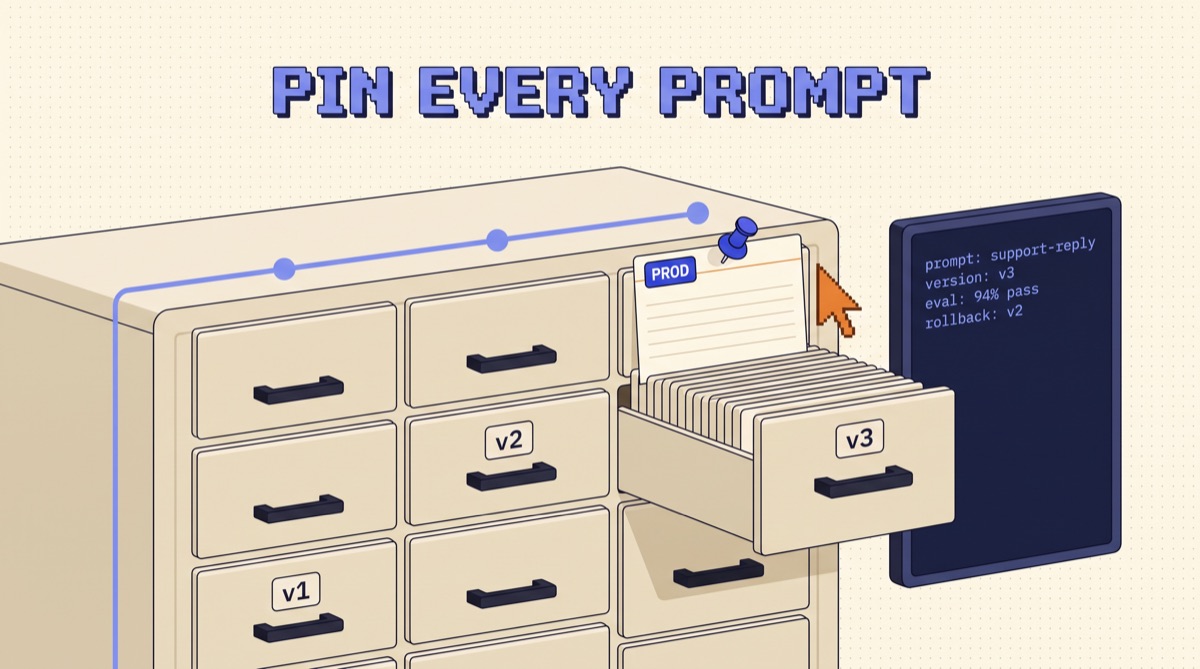
- Versions are immutable. Never edit v3. Write v4. Code pins a version or reads a label like
production. - Every change runs an eval. A new version ships only if it matches or beats the current one on a fixed test set.
- Log the version on every call. Prompt name, version, model, and variables go into your traces so any output is traceable.
- Rollback is a pointer move. Keep the last known good version tagged and moving back takes seconds.
02Why prompts drift without versioning
Prompts break quietly. A code bug throws an error. A prompt regression just produces slightly worse answers, and the first signal is usually a user complaint a week later.
Three things cause most of the damage:
- Inline strings scattered through the codebase. The support-reply prompt lives in a Python f-string in one service and a slightly different copy in another. Fix one, the other stays broken.
- Settings separated from text. The prompt was tuned at temperature 0.2 on one model. Someone changes the model in a config file and the prompt behaves differently, but the prompt itself never changed, so nobody suspects it.
- No baseline. Without the old version and a test set, "is the new prompt better?" becomes a vibe check on three examples.
Versioning fixes all three by making the prompt a single artifact you can name, diff, test, and restore.
03Step 1: Move every prompt into a file
Pick one format and stick to it. YAML or Markdown with frontmatter both work. The rule is that everything that can change the output lives in the same file.
# prompts/support-reply/v4.yaml name: support-reply version: 4 model: claude-sonnet-5-5 temperature: 0.2 max_tokens: 600 variables: [customer_name, plan, ticket_body] system: |
  You are the support lead for Acme. Reply in under 120 words.
  Cite the help-center article ID when one applies.
  Never promise refunds. Route refund asks to billing. user: |
  Customer: {{customer_name}} ({{plan}} plan)
  Ticket: {{ticket_body}}
Notice what is in there: the model and temperature sit next to the text. If you change the model, you write a new version. That single habit removes the most confusing class of regressions.
A small loader turns this into a call. It reads the file, checks every declared variable was supplied, fills the template, and returns the request plus the metadata you will log. If a variable is missing it raises an error instead of sending a prompt with an empty slot.
04Step 2: Make versions immutable and pin them
Once v4 is in production, nobody edits v4. Changes go into v5. This sounds rigid, but it is what makes everything else work: an output logged as "support-reply v4" means exactly one piece of text, forever.
Code should never say "the latest prompt." It should say one of two things:
- A pinned version, like
load_prompt("support-reply", version=4). Simple, explicit, and a version change shows up in code review. - A label, like
load_prompt("support-reply", label="production"). The label points at a version, and you move the label to promote or roll back without a deploy.
Pinned versions suit small teams shipping through Git. Labels suit teams where product or support people change wording and need it live the same day. Either way, the resolved version number gets logged.
05Step 3: Gate every new version with an eval
A version number without a test is just a label on a guess. Before v5 takes the production label, run it and v4 on the same fixed test set and compare.
The test set does not need to be large. For a support-reply prompt, 40 to 80 real tickets covers it, picked to include:
- The common case. The 60% of tickets that look the same.
- Known failures. Every ticket that caused a complaint, added the day it happened.
- Edge cases. Refund requests, angry customers, tickets in another language, empty bodies.
Score each output with cheap checks first: word count under 120, article ID present when expected, no refund promise. Then use a model grader for fuzzier criteria like tone and accuracy. The release rule is simple: the new version must match or beat the current one overall, and must not regress on any known-failure case. If it fixes one complaint but breaks two old ones, it does not ship.
Wire this into CI. A pull request that touches prompts/ runs the eval and posts the comparison as a comment. Reviewers see "v5: 94% pass, v4: 91% pass, 0 regressions" next to the diff, which turns prompt review from opinion into evidence.
06Step 4: Log the version on every call
Versioning only pays off if you can trace outputs back to the prompt that made them. On every LLM call, log:
| Field | Example | Why |
|---|---|---|
| prompt name | support-reply |
groups calls by feature |
| version | 4 |
ties output to exact text |
| model | claude-sonnet-5-5 |
separates model changes from prompt changes |
| variables | {plan: "pro", ...} |
lets you replay real inputs in evals |
| output + score | text, thumbs, grader score | the quality signal per version |
With this in your traces, the incident from the intro becomes a two-minute investigation: filter complaints by prompt name, group by version, and the regression shows up as a spike on the newest one. You also get a free source of eval cases, because every bad output with its variables is a test you can add to the set.
07Git or a prompt registry?
Both work. The question is who edits prompts and how fast changes need to go live.
- Git first. Prompts as files in the repo get diffs, pull requests, blame, and CI with zero new tools. A version change ships with a deploy. This is the right default for a team where engineers own the prompts.
- Registry when non-engineers edit. Tools like Langfuse, PromptLayer, Braintrust, or the prompt features in most LLM observability platforms store versions, attach labels, and link traces to versions in one view. Changes go live by moving a label, no deploy.
- Hybrid is common. Some teams author in Git and sync to a registry on merge, so review stays in pull requests while production reads labels at runtime.
The mistake to avoid is two sources of truth. If a prompt can be edited in both the repo and a dashboard, sooner or later they disagree and nobody knows which one is live.
If you are building agents rather than single prompts, the same idea extends to every instruction file the agent loads. The Write Loops, Not Prompts guide covers how to structure those loops so each piece is small enough to test and version on its own.
08Common mistakes
- Editing a live version in place. It breaks every log line that references it. Always write a new version.
- Versioning text but not settings. A model swap is a prompt change. Keep model, temperature, and max tokens in the prompt file.
- Evals that never fail. If every version passes at 100%, the test set is too easy. Add the cases that actually broke.
- Fetching "latest" at runtime. That is an unreviewed deploy every time someone hits save. Pin a version or a label.
- No owner. Each prompt file should name a person or team in its metadata, so a regression has someone to page.
09The bottom line
Prompt versioning is four habits: prompts live in files with their model settings, versions never change once published, a new version ships only after it beats the old one on a fixed eval set, and every call logs which version ran. Start with Git and a 40-case test set this week. You will catch your next prompt regression in CI instead of in a support queue, and rolling back will be one line.
I share the evals, templates, and release checklists I use on production AI features in the OpusJake newsletter.
Frequently asked
What is prompt versioning?
Prompt versioning is treating every prompt your product sends to an LLM like a release artifact. Each prompt gets a stable name and an immutable version number, the code asks for a specific version instead of an inline string, and every change goes through review and an eval run before it reaches users. The payoff is the same as versioning code: you can see exactly which prompt produced a given output, compare two versions on the same test set, and roll back a bad change in seconds instead of hunting through commits to find what someone edited.
Should I store prompts in Git or in a prompt management tool?
Start in Git. Prompts as plain files next to your code get diffs, pull requests, blame, and CI for free, and that covers most teams up to the point where non-engineers need to edit prompts daily. Move to a prompt management tool such as Langfuse, PromptLayer, or Braintrust when product or support people own the wording, when you need to change prompts without a deploy, or when you want version-linked traces in one dashboard. Even then, keep the tool as the source of truth for one thing only and pin versions from code.
How do I version a prompt that has variables in it?
Version the template, not the filled-in string. Store the prompt with named placeholders such as {{customer_name}} or {{ticket_body}}, declare the expected variables in the prompt file's metadata, and fill them at runtime. Log the template name, the version, and the variable values separately on every call. That way two calls with different customers still count as the same prompt version, your evals can replay real inputs against a new template, and a missing variable fails loudly at render time instead of shipping a prompt with an empty hole.
When should I bump a prompt version?
Bump it on any change that can alter output: wording, examples, output format, tool descriptions, the model name, temperature, or max tokens. A prompt is only reproducible when the text and the model settings travel together, so store them in the same file and version them as one unit. Whitespace or comment edits that never reach the model can skip a bump. When in doubt, bump. Versions are free and an unexplained behavior change in production is not.
How do I roll back a bad prompt?
If versions are immutable and code reads a pointer such as a 'production' label, rollback is moving that label back to the previous version. With prompts in Git, revert the commit or change the pinned version constant and redeploy. With a prompt registry, repoint the label and the next request picks it up with no deploy. Either way, keep the last known good version tagged so the on-call person never has to guess which one to restore.