How to Use Meta AI: Pick the Door, Then Fix the Defaults
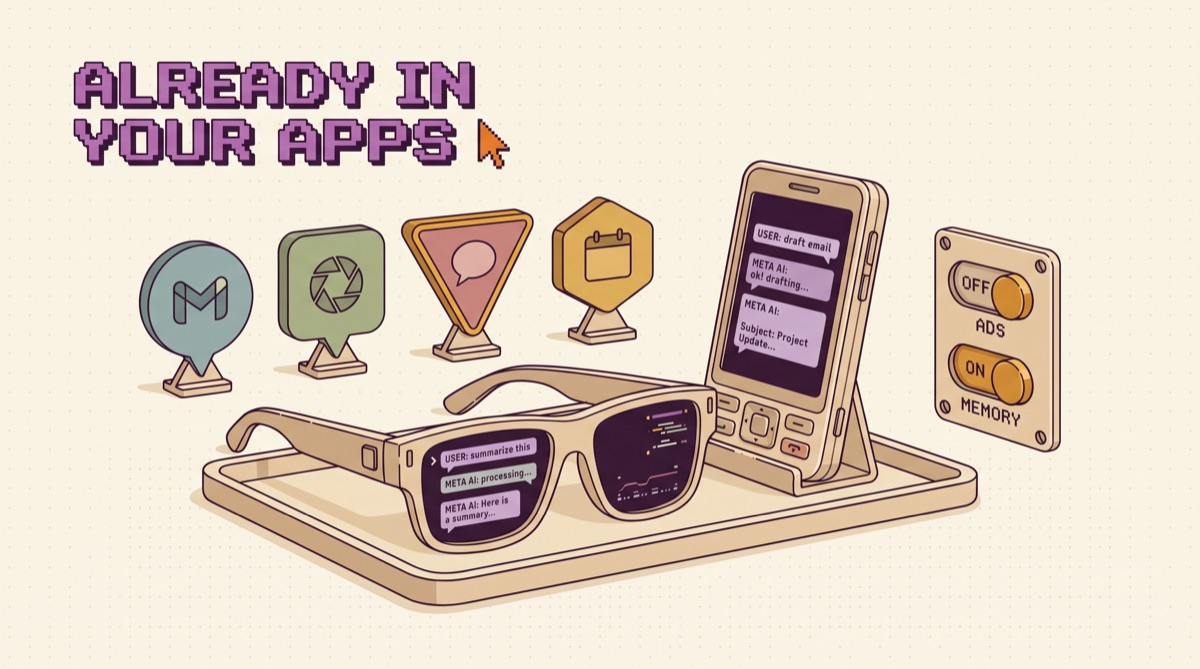
How to use Meta AI in 2026: open it where you already are (WhatsApp, Instagram, Facebook, Messenger, or your glasses) for quick questions and group plans, and use the standalone Meta AI app or meta.ai for anything bigger, because that is where new features land first. Then spend five minutes on privacy, because your chats now shape your ads by default.
Most guides to Meta AI are a list of places the little blue ring shows up. That part is easy. The useful questions are which door to use for which job, what the model underneath can actually do now, and what it costs you in data. Here is the version I would hand a friend.
TL;DR
- New engine. Meta AI now runs on Muse Spark, a closed model from Meta Superintelligence Labs announced April 8, 2026. Muse Spark 1.1 followed July 9 with a 1 million token context window.
- Usage is climbing. On the Q2 2026 earnings call, Zuckerberg said daily users of the assistant rose 60% after the Muse Spark rebuild, and that WhatsApp is the leading surface.
- Your chats shape your ads. Since December 16, 2025, Meta uses AI interactions to personalize content and ads in most regions, with sensitive topics excluded.
- There is a private mode. Incognito Chat (May 13, 2026) is not saved and, per Meta, runs where even Meta cannot read it.
- It does tasks now. Since July 24, Meta AI can connect to email and calendar, run research, build slides, and repeat tasks like a daily briefing.
What Meta AI actually is now
For two years Meta AI was a wrapper around Meta's open Llama models. That changed in April. Meta's Muse Spark announcement describes it as Meta's most powerful model yet, with two modes (Instant for fast answers, Thinking for harder problems), the ability to launch subagents in parallel on a complex question, live camera understanding, and a shopping mode that searches Facebook Marketplace alongside the rest of the web.
The July update matters more for daily use. Meta's post, Meta AI Doesn't Just Think, It Acts, says the assistant can now connect to email and calendar, do web research and synthesize it, generate slides, and run recurring jobs like a weekly meal plan or a daily briefing, all started in select markets in the Meta AI app and on meta.ai before WhatsApp.
So treat it as two products. Inside the social apps it is a fast, convenient chatbot. In the standalone app it is closer to a general assistant with light agent skills.
Where it shows up, and which door to use
Meta AI appears in five places, and each is good at something different. The mistake is using the smallest door for the biggest job.
WhatsApp is where most people meet it, and Meta says it is the leading surface for Meta AI. Open the Meta AI chat from the chat list, or type @Meta AI inside a group chat so everyone sees the answer.
Instagram and Facebook put it in the search bar and around posts. Good for "find me reels about X" or a caption draft, not much more.
The Meta AI app and meta.ai are the real workbench. Thinking mode, connected apps, recurring tasks, and image generation with Muse Image all live here.
Glasses are the most distinctive door. Ask what you are looking at, get a translation, or capture a note without taking out your phone.
Five uses that are worth it
These are the jobs where Meta AI beats opening a separate assistant, mostly because it is already in the room.
- Plan inside the group chat. In a WhatsApp group planning a trip, mention @Meta AI and ask for three dinner options near the hotel under $40 a head. Everyone sees the same answer, nobody copies links around, and the argument ends faster.
- Point the camera at the problem. Live camera in the app answers "what is this plant," "which cable goes where," or "translate this menu" in real time. This is its clearest edge over a text-first assistant.
- Shop Marketplace and the web together. Shopping mode searches Facebook Marketplace listings next to results from across the internet. For used furniture or bikes, that single search replaces two tabs.
- Set a daily briefing. Connect your calendar in the app and ask for a short morning briefing. If reading your calendar and inbox takes ten minutes each workday, that is 10 × 22, or 220 minutes a month, about 3.7 hours back.
- Use Thinking mode for real questions. Switch from Instant to Thinking before you ask anything with steps: comparing two job offers, planning a budget, debugging a spreadsheet formula. Instant is tuned for speed, not care.
A sixth, if you build things: Muse Spark 1.1 is available through the Meta Model API in public preview with an OpenAI-compatible interface, and Meta said on the earnings call it put the model on OpenRouter for US developers. If your app already speaks the OpenAI format, testing it is a base URL change. I cover how I compare model APIs in how to use OpenAI.
The privacy defaults worth changing
This is the part most tutorials skip, and it is the part that matters.
Meta's October 2025 announcement set the rule that still applies: starting December 16, 2025, Meta uses your interactions with its AI features to personalize content and ads across its apps. Meta says it does not use conversations about religious views, sexual orientation, political views, health, or racial or ethnic origin to show you ads. The change rolled out in most regions, not all. There is no single off switch.
What you can do:
- Use Incognito Chat for anything sensitive. Meta's Incognito Chat post says messages are processed in a secure environment even Meta cannot access, are not saved, and disappear by default. It rolled out from May 13 on WhatsApp and the Meta AI app.
- Keep WhatsApp out of Accounts Center if you want its AI chats kept apart. Meta says Meta AI chats on WhatsApp are not used to personalize experiences unless WhatsApp is added to Accounts Center.
- Open Ads Preferences once. It will not stop AI chats from being a signal, but you can see and adjust what is being targeted.
- Delete old chats you would not want on file. Starting clean costs nothing.
If you want to go further than Meta's settings and cut down what data brokers hold on you, I wrote the full cleanup in Erase Your Footprint.
Muse: the agent that runs after you close the app
On September 8, Meta launched Muse, a personal agent built on Muse Spark. It is separate from the chat assistant: it keeps working in the background, handles tasks like sending emails and booking travel, and turns long-term goals into plans. It is rolling out in the US on iOS, Android, and muse.ai, free for basic use with paid plans for more.
Three details from Meta's post are worth knowing before you connect anything. Muse asks for approval before sensitive actions like sending an email or buying something. It cannot see your passwords or payment methods directly, and checkout runs through Link from Stripe. And Meta says Muse conversations are excluded from ad targeting, which is a different rule from the regular Meta AI chat.
Give it one low-stakes recurring job first, like tracking a price drop, and read its approval requests for a week before handing it your inbox. That checkpoint is the same pattern I use for any agent, laid out in human in the loop AI agents.
For a business: the WhatsApp angle
If you run a business, Meta AI is less interesting than what Meta is building on top of it for companies. On the Q2 call Meta described Business Agents on WhatsApp, and gave one concrete case: Movida, a Brazilian car rental company with nearly 400 locations, put its whole booking flow into a WhatsApp agent. Meta said returning customers could book in as few as three messages, daily WhatsApp bookings rose 44% year over year over a one-month period, and 85% of conversations were resolved without a human.
Those are vendor-reported numbers from an earnings call, so treat them as a ceiling, not a forecast. The takeaway still holds: if your customers already message you on WhatsApp, that channel is where an agent will pay off first, and it is worth mapping your top five customer questions before you build anything.
Where Meta AI loses
Meta AI is a distribution advantage, not a depth advantage. It wins when the answer is needed inside a chat you are already in. It loses on long documents, careful writing, code, and any work where you want files and projects that persist. It is also the only major assistant whose everyday chats feed an ad system by default.
My setup: Meta AI for group plans, camera questions, and shopping; a dedicated assistant for real work. The best AI chatbot in 2026 covers which one to pick by job, and how to use Google AI walks through the same "which door" problem for Gemini.
The bottom line
Using Meta AI well means picking the right door. Use it inside WhatsApp and Instagram for fast answers and group decisions. Move to the Meta AI app or meta.ai when the job needs Thinking mode, your calendar, or a recurring task. Then fix the defaults: Incognito Chat for anything sensitive, a look at Ads Preferences, and a deliberate choice about WhatsApp and Accounts Center.
The assistant got much better this year. The data deal did not change. Use it with both facts in mind.
Want the tools that earn a daily slot next to it? Grab the AI Daily Driver Stack, then join the newsletter for one practical AI build every week, tested before it lands in your inbox.
How do I start using Meta AI?
You probably already have it. Meta AI is built into WhatsApp, Instagram, Facebook, and Messenger, usually as a chat you can open from the chat list or the search bar, and in WhatsApp group chats anyone can mention @Meta AI to pull it into the conversation. For the full feature set, install the standalone Meta AI app or go to meta.ai in a browser. That is where Meta ships new capabilities first: the Thinking mode for harder questions, live camera, connected email and calendar, and recurring tasks like a daily briefing. A good first session is to ask one question you would normally search, one question about a photo, and one planning task, then compare the answers with the assistant you already use.
What model does Meta AI use in 2026?
Meta AI now runs on Muse Spark, the first model family from Meta Superintelligence Labs, announced on April 8, 2026. Earlier versions of the assistant ran on Meta's open Llama models; Muse Spark is a closed model, which is a real change in Meta's strategy. Muse Spark 1.1 followed on July 9, 2026 with a 1 million token context window and stronger tool use, coding, and multimodal understanding, and it is also available to developers through the Meta Model API in public preview. In the Meta AI app you can choose between Instant mode for quick answers and Thinking mode for problems that need reasoning, and the model can launch subagents to work on parts of a complex question in parallel.
Does Meta use my Meta AI chats for ads?
Yes, in most regions. Since December 16, 2025, Meta has used your interactions with its AI features to personalize the content and ads you see across its apps. Meta says conversations about religious views, sexual orientation, political views, health, and racial or ethnic origin are not used to show you ads. There is no single switch that stops AI chats from informing personalization, but you can adjust what you see with Ads Preferences and feed controls. On WhatsApp, Meta says your Meta AI chats are not used to personalize experiences unless you have added WhatsApp to Accounts Center. For anything sensitive, use Incognito Chat, which Meta says is not saved and runs in a secure environment Meta itself cannot access.
What is Meta AI Incognito Chat?
Incognito Chat is a private mode for talking to Meta AI, launched on May 13, 2026 for WhatsApp and the Meta AI app and rolling out gradually. Meta says the messages are processed in a secure environment that even Meta cannot access, built on WhatsApp's Private Processing technology, and that the conversations are not saved and disappear by default. That makes it the right place for questions about health, money, legal problems, or anything you would not want attached to your account. The tradeoff is that nothing carries over: the assistant will not remember the conversation later, so it cannot build on it. Use regular chats for ongoing projects and Incognito for one-off sensitive questions.
Is Meta AI better than ChatGPT or Claude?
It depends on where the work happens. Meta AI's advantage is distribution: it sits inside WhatsApp, Instagram, and Messenger, it can join a group chat, it can search Facebook Marketplace in its shopping mode, and it runs on Ray-Ban and Oakley Meta glasses. For quick answers, trip planning with friends, identifying something through a camera, or shopping, that convenience wins. For long documents, serious writing, coding, or work where privacy defaults matter, a dedicated assistant with projects and files is still the better workbench, and neither Claude nor ChatGPT is attached to an ad business the way Meta AI is. Most people who get value from Meta AI use it as the in-app layer and keep a separate assistant for deep work.
OpusJake is Jake Schincariol's operating system for building with AI: agents, workflows, prompts, and the free resources behind them. Get the next move every week.