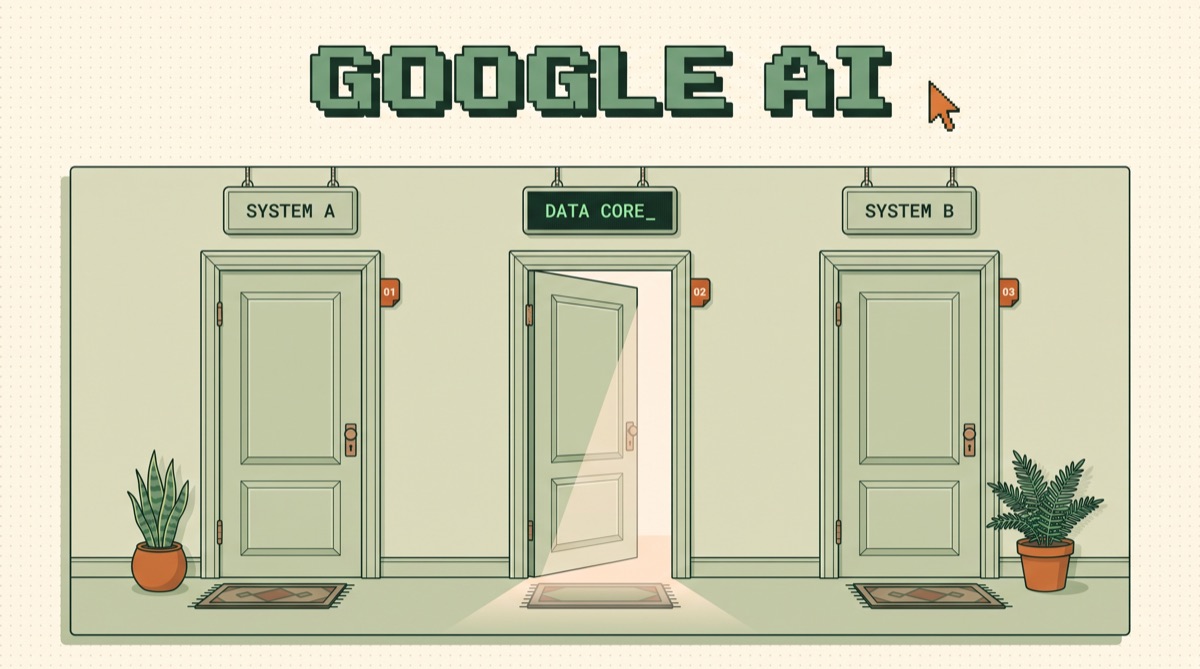
How to use Google AI comes down to picking one of three doors: the Gemini app for asking and drafting, Gemini inside Google Workspace for work that already lives in your Gmail and Docs, and AI Studio plus the Gemini API for anything you want to build. Most people only ever open the first door, which is why they conclude Google AI is another chatbot.
01TL;DR
- Three doors, three jobs. App for chat, Workspace for work you already have, AI Studio for anything you ship.
- The scale is real. On Alphabet's Q2 2026 earnings call (July 22, 2026), Sundar Pichai reported 950 million monthly active users on the Gemini app, daily actives tripled year over year, and more than 9 million developers building monthly with Google's models.
- You are probably paying for it twice. Gemini is bundled into Google Workspace from the $7 per user Starter plan up.
- Flash is the default. Gemini 3.8 Flash is $0.75 in and $3.75 out per million tokens through Dec 31, 2026, then doubles. Flash-Lite is $0.30 and $2.50.
- Free has a price. Google's pricing page states free-tier content is used to improve its products. Paid-tier content is not.
02The three doors into Google AI
Google does not sell one product called Google AI. It sells the same family of Gemini models through several surfaces, and the surface you pick decides your cost, your data terms, and what the model can actually see.
That last part matters more than model quality. A brilliant model with no access to your inbox loses to a decent one that can read the thread you are replying to.
03Door one: the Gemini app, and what a subscription buys
The Gemini app is free with a Google account and capped on access to the top model. The paid tiers do not unlock secret intelligence. They raise limits and bundle other things.
Google's AI plans page sets it out by multiplier. AI Plus gives roughly 2x the free access to Gemini 3.1 Pro plus 400 GB of storage. AI Pro gives 4x access, 5 TB of storage, Deep Research, the Gemini Spark personal agent, and $10 a month in Google Cloud credits. AI Ultra, which Google introduced at I/O on May 19, 2026 at $100 a month, goes to as much as 20x access, 20 TB of storage, higher access to Deep Think reasoning, and $40 a month in Cloud credits.
Read that as a usage ladder, not a capability ladder. If you hit limits twice a week, upgrade. If you hit them twice a year, do not. The same logic applies to every assistant subscription, which is the argument I make in how to choose an AI model: match the tier to the job, then stop paying attention to the marketing.
04Door two: Gemini in Workspace, which you already bought
This is the door people skip, and it is the one with the best return.
Gemini is bundled into every Google Workspace business plan. At $7 per user per month on Starter you get the Gemini assistant in Gmail and basic app access. At $14 on Standard it reaches Gmail, Docs, Meet and more, with expanded access to Google's most capable models. At $22 on Plus you get full model availability in the Gemini app plus expanded Gemini Notebook. Those are the annual-commitment prices from Google's own Workspace pricing page.
The features are concrete rather than vague. Draft emails and summarize threads in Gmail. Help me write in Docs. Create tables and AI-enhanced Smart Fill in Sheets. Help me design in Slides. Take notes for me in Meet, which writes the meeting summary without a bot joining the call. Side-panel access in Drive that reads the file you have open.
Here is the practical difference. In the Gemini app you paste a document in. In Workspace the model already has the document, the thread, the calendar entry, and the file permissions attached to your account. That removes the copy-paste step that quietly kills most AI habits by week three.
If you run a team on Workspace and have never audited who has Gemini switched on, that is the highest-value hour on your calendar this week. Against the backdrop of the US Census Bureau's Business Trends and Outlook Survey, which put national business AI use at 19.8% as of May 3, 2026 (39.7% in Information, 33.9% in Finance and Insurance, 37% among firms with 250 or more employees), flipping a switch you already pay for is a cheap way to move.
05Door three: AI Studio, where free costs you something else
AI Studio is where you stop chatting and start building. You write a prompt, run it against a specific model, watch the token count, then generate an API key and take it to code.
Two things to know before you put anything real through it.
First, the data terms. Google's Gemini API pricing page says free-tier content is used to improve Google's products, and states for every paid tier that content is not used to improve Google's products. That is the actual difference between free and paid, and it matters more than the money. Attaching a billing account moves you from free to Tier 1 more or less instantly according to Google's rate limits documentation, so there is no excuse for running client data on a free key.
Second, the tier ladder is spend-gated, not application-gated. That same page states Tier 2 requires $100 or more in cumulative Google Cloud spend plus three days from your first payment, and Tier 3 requires $1,000 or more plus 30 days. Plan for that if you expect a launch spike, because you cannot buy your way past the waiting period on the day you need it.
06Picking a Gemini model without reading the whole docs page
Google's models page currently lists dozens of entries across text, image, video, audio, music, embeddings, and robotics. You need three of them.
Run the arithmetic before you pick. Say you classify 50,000 support tickets at roughly 800 input tokens and 150 output tokens each. That is 40 million input tokens and 7.5 million output tokens.
- Flash-Lite: 40 x $0.30 plus 7.5 x $2.50 equals $30.75
- Gemini 3.8 Flash: 40 x $0.75 plus 7.5 x $3.75 equals $58.13
- Gemini 2.5 Pro: 40 x $1.25 plus 7.5 x $10.00 equals $125.00
Four times the price between the cheapest and the most expensive, on a job where the output is one of six labels. That gap is the entire argument for building a small eval set first. The full version of that argument is in how to test an AI agent, and the cost side is in cutting your AI API bill.
One more line item people miss: the Flash pricing above is promotional through December 31, 2026, after which Google's pricing page lists $1.50 input and $7.50 output. Same model, double the bill, on a date already published. Budget for it now.
07Where Google is not worth switching to
Three honest limits.
The 1M context window is not a retrieval system. Google's own long context documentation reports roughly 99% accuracy on single-needle retrieval, then says plainly that when you are looking for multiple specific pieces of information the model does not perform with the same accuracy, and that longer queries mean higher latency. Stuffing a million tokens in is a convenience, not an architecture. If you need reliable recall over a corpus, you still want retrieval, which is what chunking documents for RAG is for.
Model IDs move. That same models page lists Gemini 2.0 Flash, Gemini 2.0 Flash-Lite, the Gemini 3.1 Flash-Lite preview, and the Gemini 3 Pro preview as shut down. Pin exact model IDs in production and read the changelog before you upgrade. This is true of every provider, and it bites hardest on the one shipping fastest.
Switching is an eval project, not an API swap. If your prompts, tools, and tests are already tuned on another provider, the cost of moving is measured in re-validation, not in rewriting a client. I said the same thing about the other direction in the OpenAI API guide. The right move is to run both against your own eval set on your own tasks, then decide with numbers instead of vibes.
08The bottom line
Using Google AI well is a routing decision, not a subscription decision. Ask and draft in the Gemini app. Do work that touches your real documents in Workspace, where you are almost certainly already paying for it. Prototype in AI Studio, then ship on a paid API key with the model ID pinned and an eval set behind it. Start at Flash, verify with your own tests, and only pay for Pro on the tasks that measurably need it.
Want the rest of the stack? The AI Daily Driver Stack is the exact set of tools I run every day, with what each one is actually for. And if you want this kind of breakdown before it goes stale, join the newsletter. One issue a week, no fluff.
Frequently asked
How do I use Google AI for free?
Three ways, and they are not equivalent. The Gemini app at gemini.google.com is free to use with a Google account, with capped access to the top model. Google AI Studio is free to prototype in and free to generate an API key from. The Gemini API itself has a free tier that gives you real requests against real models at zero cost. The catch is written on Google's own pricing page: on the free tier, your content is used to improve Google's products, while on the paid tier it explicitly is not. So free is genuinely free for learning, personal projects, and throwaway prototypes. The moment you point it at client data, customer records, or anything under an NDA, attach billing and move to a paid tier.
What is the difference between the Gemini app, Gemini in Workspace, and AI Studio?
They are three doors into the same models, built for three different jobs. The Gemini app is the chat surface for asking, drafting, and researching, and it is where consumer subscription tiers apply. Gemini in Google Workspace puts the same capability inside Gmail, Docs, Sheets, Slides, Meet, and Drive, so it acts on documents and threads you already have rather than on text you paste. AI Studio is the developer surface: you tune a prompt against a model, watch the token cost, then export an API key and ship it. Most people only ever open the first door, which is why they conclude Google AI is just another chatbot. The second door is the one already inside your subscription, and the third is the one that turns a prompt into a product.
Which Gemini model should I use?
Start at Flash and only move when an eval tells you to. As of September 2026, Gemini 3.8 Flash is the current stable workhorse and Google positions it for long-horizon software engineering, autonomous agents, and complex enterprise workflows. Gemini 3.5 Flash-Lite is the cheap, fast option for high-volume classification, extraction, and routing where the task is simple and the quality bar is a threshold rather than a judgment. Gemini 2.5 Pro is still there for deep reasoning work, and it costs roughly four times Flash-Lite on input and four times on output. Pin the exact model ID in your code rather than an alias. Google's model page lists several previews that have already been shut down, and an alias that silently moves under you is a production incident waiting to happen.
Is Gemini better than ChatGPT or Claude?
Wrong question for most decisions. The honest answer is that Gemini's advantage is distribution rather than raw capability. If your company already runs on Google Workspace, Gemini reaches your mail, calendar, and documents without a single integration, and that access is worth more day to day than a few points on a benchmark. If you already have working prompts, evals, and tooling on another provider, switching is an evaluation project, not an API swap, and you should price it that way. Run your own eval set on your own tasks before you move anything. The model that wins a public leaderboard in September may not be the model that wins your specific job in October, and your eval is the only scoreboard that pays you.
Does Google use my data to train Gemini?
It depends entirely on which door you came in through, and this is the single most important thing to check before you put real work in. Google's Gemini API pricing page draws the line plainly: free-tier usage says content is used to improve Google's products, and every paid tier says content is not used to improve Google's products. That one sentence is the whole difference between a hobby key and a production key. Attaching a billing account to move from the free tier to Tier 1 takes effect almost instantly, so there is no good reason to run client or customer data through a free key. If you are on Workspace, check your admin console separately, because business terms are governed there and not by the API pricing page.