// OPUSJAKE RESOURCE · PLAYBOOK
ANIMATIONS IN CHATGPT
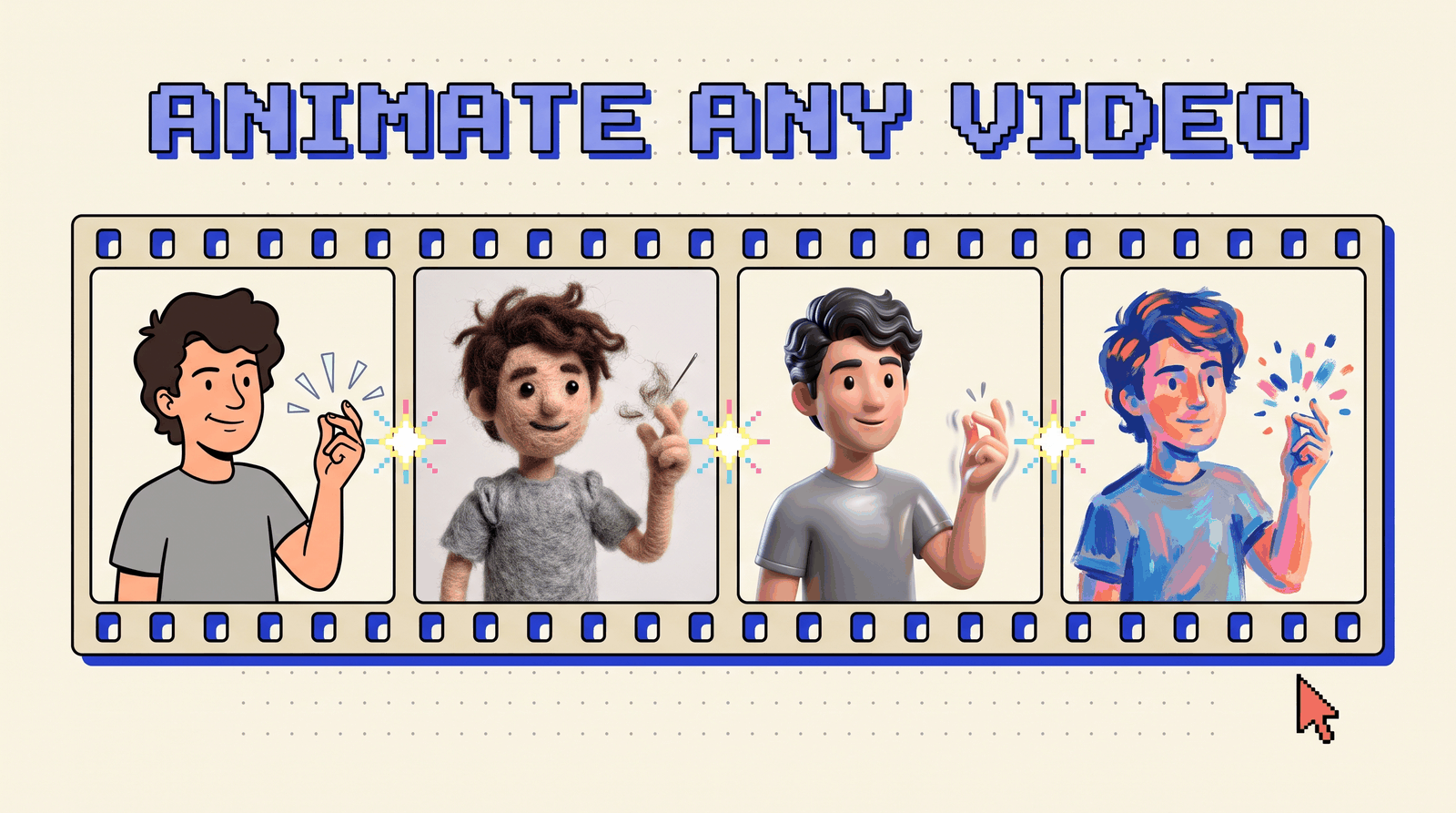
Turn one selfie video into a cartoon, a felt puppet, a 3D film and a painting without leaving ChatGPT. The exact setup, the snap-cut edit, and copy-paste prompts.
> boot opusjake_os
> resource: animations-in-chatgpt
> version: v1.0 · 2026-10-04
> status: ready_
▶ START HERE: OPEN HIGGSFIELD IN CHATGPT
This is the setup behind my snap reel: one take, four animation styles, all made inside ChatGPT with the Higgsfield plugin. Tap the button above first. It opens the plugin page, then follow the five steps.
START HERE
One link does the heavy lifting. It takes you straight to the Higgsfield plugin for ChatGPT, where you connect it in two taps.
WHAT YOU GET
Same clip, same motion, five looks. Every frame below is the same moment of one real take.
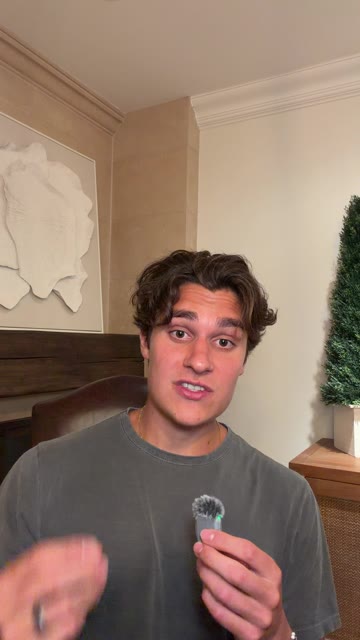
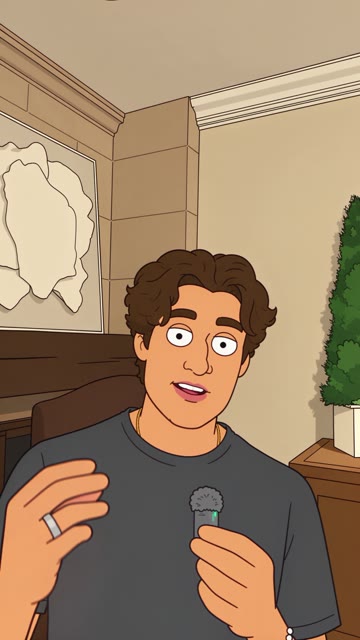
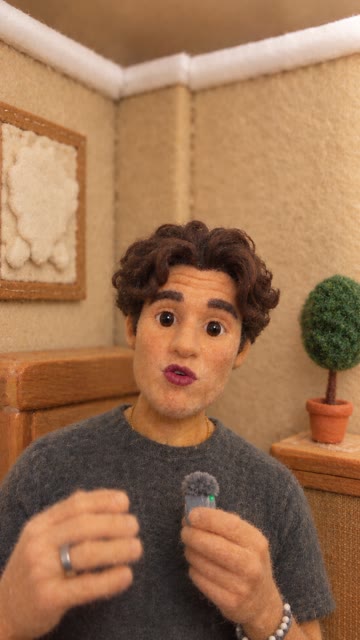
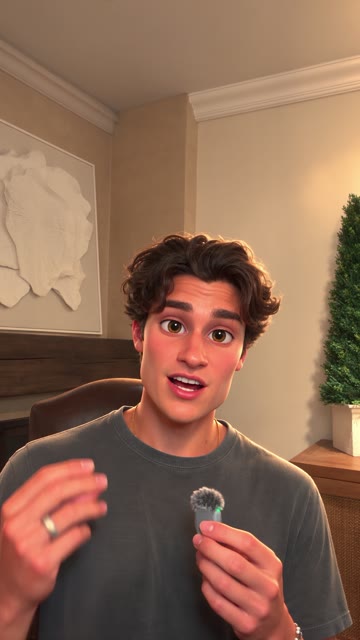
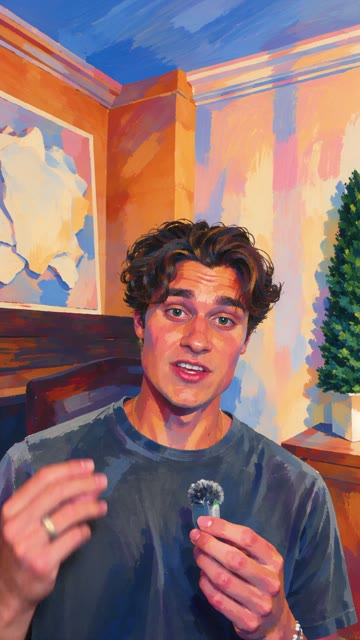
The room changes with you. The hands, the head turns and the lip sync stay locked to the original, which is what makes the cuts work.
THE SETUP
Five steps. About two minutes the first time, ten seconds every time after.
01 · CONNECT THE PLUGIN
- Open ChatGPT (the app or chatgpt.com) and go to Plugins in the sidebar.
- Search Higgsfield, tap +, then Allow on the sign-in sheet.
- Connected it before? Disconnect and reconnect. That pulls in the Styles update.
02 · OPEN THE EXTENSION
- Open Higgsfield from your plugins. It runs as a full extension inside ChatGPT.
- Pin it: tap ... next to Higgsfield, then Pin to sidebar. Now it is one tap away.
03 · OPEN GENJUTSU
- On the extension's Explore tab, tap the Genjutsu tile.
04 · UPLOAD YOUR CLIP
- Upload your own footage. One take, one person, vertical.
- The rules for a clip that animates cleanly are on the next page.
05 · PICK A STYLE, GENERATE
- Choose a look from Styles and hit Generate. No prompt needed.
- Repeat with the same clip for every style you want. Same clip means same motion, so every version lines up frame for frame.
SHOOT IT RIGHT
Genjutsu keeps your movement and rebuilds everything else. Give it movement worth keeping.
| Rule | Why it matters |
|---|---|
| 4 to 10 seconds, vertical 9:16 | Short takes come back fastest and fit a Reel |
| One person, facing the camera | The face and lip sync hold best square on |
| Bright, even light on your face | Shadows read as texture and get styled in |
| Big gestures: a snap, a point, a turn | These become your cut points |
| Hands stay in frame on the snap | A snap half off screen cuts badly |
| Your own footage only | Never run someone else's video through it |
THE ROOM COUNTS
The whole frame gets restyled, not just you. A plant becomes a felt pom-pom, a wall becomes brush strokes. A room with a few clear shapes (art on the wall, a plant, a chair) gives each style something to play with.
THE SNAP CUT
This is the edit that makes people rewatch. You need the original clip plus three or four styles of it.
- Stack every version on your timeline, all starting at the same frame. Genjutsu keeps the timing, so they line up.
- Scrub to the exact frame your fingers flick on the first snap. Cut to style one there.
- Next snap, cut to style two. Next snap, style three.
- Cut back to the real you on the next line you say.
- Keep your original audio running under everything.
THE TIMING I USED
00.00  REAL      "ChatGPT just killed Disney"
02.83  CARTOON   snap 1
03.47  FELT      snap 2
03.90  3D FILM   snap 3
04.24  REAL      "directly inside of ChatGPT"
Cut on the flick, not the setup. One frame early looks like a glitch, one frame late looks like a delay.
SAMPLE PROMPTS
Styles needs no prompt. Use these when you want a look the Styles row does not have, or want to drive it from the chat. Upload your clip in the chat, tag Higgsfield, paste.
2D CARTOON
@Higgsfield Use Genjutsu on my uploaded clip. Turn the whole
video into a flat 2D TV cartoon: thick black outlines, flat
cel colors, simple rounded proportions, big expressive eyes.
Restyle the room too. Keep my exact framing, every hand
movement including the finger snap, and my lip sync.
FELT STOP-MOTION
@Higgsfield Use Genjutsu on my uploaded clip. Make me a
needle-felted wool puppet with fuzzy fibers and bead eyes,
and rebuild the room as a handmade miniature felt set.
Nothing photographic should remain. Keep my framing, my
gestures and my lip sync exactly.
3D ANIMATED FILM
@Higgsfield Use Genjutsu on my uploaded clip. Turn it into
a frame from a 3D animated feature film: stylized glossy
character, slightly bigger eyes, soft cinematic lighting,
and a matching stylized CG room. Keep my exact framing,
movement and lip sync.
GOUACHE PAINTING
@Higgsfield Use Genjutsu on my uploaded clip. Repaint the
whole video as a bold gouache painting: thick brush strokes,
vivid blues, pinks and oranges, graphic shadows. Keep my
framing, gestures and lip sync exactly.
THE 4-PACK
@Higgsfield Make four Genjutsu versions of my uploaded clip:
a 2D cartoon, a needle-felt stop-motion puppet, a 3D animated
film, and a gouache painting. Same framing and timing in all
four so I can cut between them on my finger snaps.
TWO RULES FOR WRITING YOUR OWN
- Describe the look, not a show or a studio. "Thick black outlines, flat cel colors" beats any brand name.
- Always end with the keep line: framing, every hand movement, lip sync. That sentence is what keeps the result looking like you.
TONIGHT
Shoot one six-second take with a snap in it. Generate three styles from it. Cut on the snaps. Post it.
// GET THE NEXT DROP
New resources go out to the list as they ship. One email, unsubscribe whenever.